ChatWithCloud
Natural language AWS CLI
Freemium
Support platforms
web
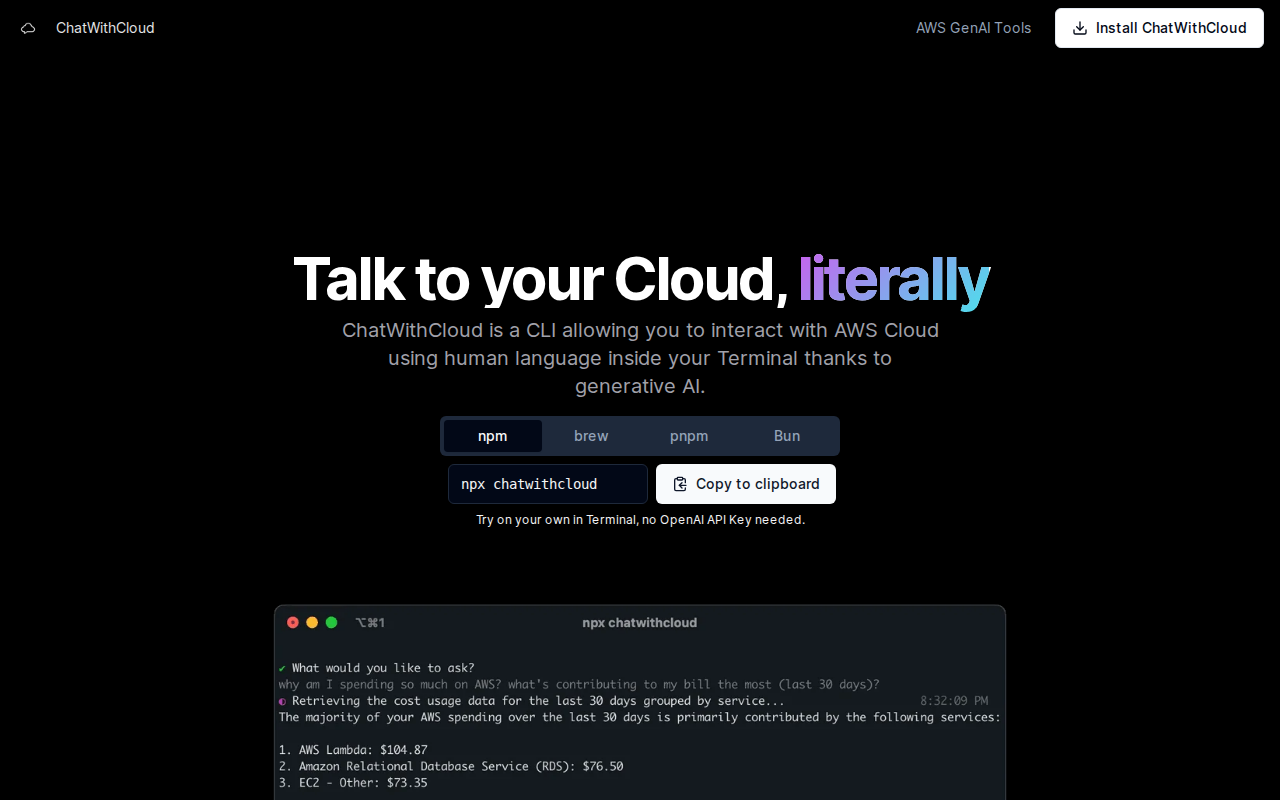
What is ChatWithCloud
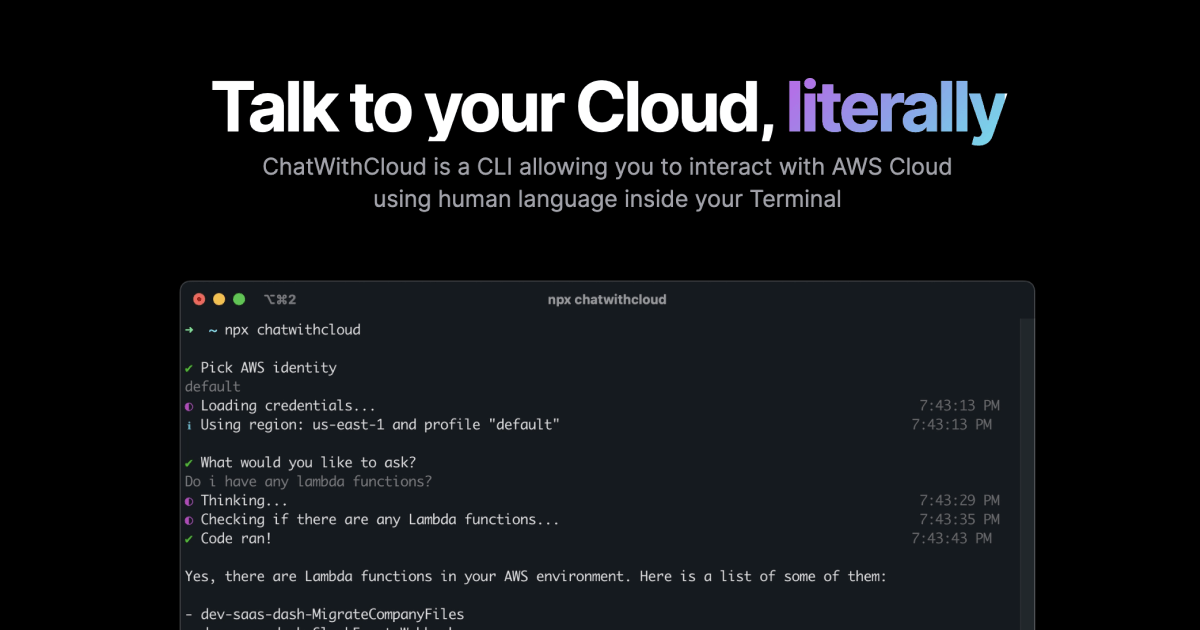
ChatWithCloud is a terminal-based interface that bridges the gap between human intent and AWS infrastructure management. By leveraging LLMs, it translates natural language queries into executable AWS CLI commands, allowing users to query, provision, and modify cloud resources without navigating the complex AWS Management Console or writing manual scripts. Unlike Amazon Q, which focuses on general documentation, ChatWithCloud operates directly on your local environment, reading your ~/.aws credentials to provide context-aware, actionable insights. It is designed for DevOps engineers and cloud architects who want to reduce context switching and accelerate infrastructure tasks through a conversational interface.
ChatWithCloud 's Core features
Local Credential Security
The tool operates entirely locally, reading credentials directly from your ~/.aws directory. By avoiding cloud-based credential storage, it ensures that your sensitive AWS access keys and secret tokens never leave your local machine. This architecture adheres to strict security compliance standards, as the LLM only receives the natural language prompt and the necessary metadata to generate commands, keeping your infrastructure data private and secure.
Direct CLI Command Generation
Instead of abstracting operations behind a proprietary API, ChatWithCloud generates standard AWS CLI commands. This transparency allows users to audit every action before execution, ensuring full visibility into what is being modified. By outputting native CLI syntax, it serves as an educational tool for junior engineers learning AWS commands while simultaneously automating complex workflows for senior developers.
Context-Aware Cloud Interaction
Unlike generic AI chatbots, this tool is specifically tuned to understand AWS service architecture. It maps natural language requests to specific AWS APIs, such as 'stop my RDS instances' or 'create an S3 bucket with public access blocked'. This context-awareness reduces the risk of syntax errors common in manual CLI usage and speeds up resource management by eliminating the need to look up documentation for specific flags.
Read and Write Capability
The tool supports both read-only queries and state-changing operations. Users can perform complex tasks like modifying security groups, terminating instances, or updating Lambda configurations. For safety, users can restrict the tool's power by using an IAM role with read-only permissions, effectively creating a 'sandbox' mode that prevents accidental infrastructure destruction while still allowing for deep diagnostic queries.
Zero-Config Terminal Integration
By utilizing npx, the tool requires zero installation or complex environment setup. This makes it highly portable for developers working across multiple machines or ephemeral CI/CD environments. The ability to run it instantly without managing global dependencies or complex configuration files significantly lowers the barrier to entry for teams looking to integrate AI-assisted cloud management into their daily terminal workflow.
How to use ChatWithCloud
- Ensure you have Node.js installed and your AWS credentials configured in your ~/.aws/credentials file.,2. Execute 'npx chatwithcloud' in your terminal to initialize the tool without a global installation.,3. Authenticate or proceed with the provided free trial runs to establish a connection to your AWS environment.,4. Type your infrastructure request, such as 'List all running EC2 instances in us-east-1', directly into the prompt.,5. Review the generated CLI command or script provided by the AI before confirming execution.,6. Observe the terminal output as the tool interacts with your AWS resources in real-time.
Use cases of ChatWithCloud
Rapid Infrastructure Auditing
A DevOps engineer can quickly identify underutilized resources by asking, 'Which EC2 instances have had zero CPU utilization for the last 7 days?' The tool generates the necessary CloudWatch and EC2 API calls, returning a concise list that helps the engineer optimize costs immediately.
On-the-fly Resource Provisioning
A developer can provision a new S3 bucket with specific encryption settings by typing a single sentence. This eliminates the need to navigate the AWS Console UI, saving time and ensuring that the resource is created with the correct parameters as defined by the AI's best-practice templates.
Troubleshooting Connectivity Issues
A cloud architect can debug network issues by asking, 'Why can't my EC2 instance connect to the RDS database?' The tool analyzes the security group rules and network ACLs, providing a human-readable explanation of the blocking configuration and the specific CLI command to fix it.
Who benefits from ChatWithCloud
DevOps Engineers
They need to manage complex infrastructure at scale. This tool helps them reduce time spent on repetitive CLI tasks and provides a faster way to query state across multiple AWS regions.
Cloud Developers
They often struggle with the steep learning curve of AWS CLI syntax. This tool allows them to interact with cloud resources using natural language, removing the friction of memorizing complex command flags.
System Administrators
They require quick, reliable ways to perform emergency maintenance or resource checks. The tool provides a conversational interface that makes it easier to perform ad-hoc tasks without needing a full IDE or GUI.
Pricing of ChatWithCloud
Free to start with 15 runs included via npx. Future pricing models are expected as the tool scales and adds support for more LLM providers.