Expo Documentation
Cross-platform React Native dev
Free
Support platforms
web
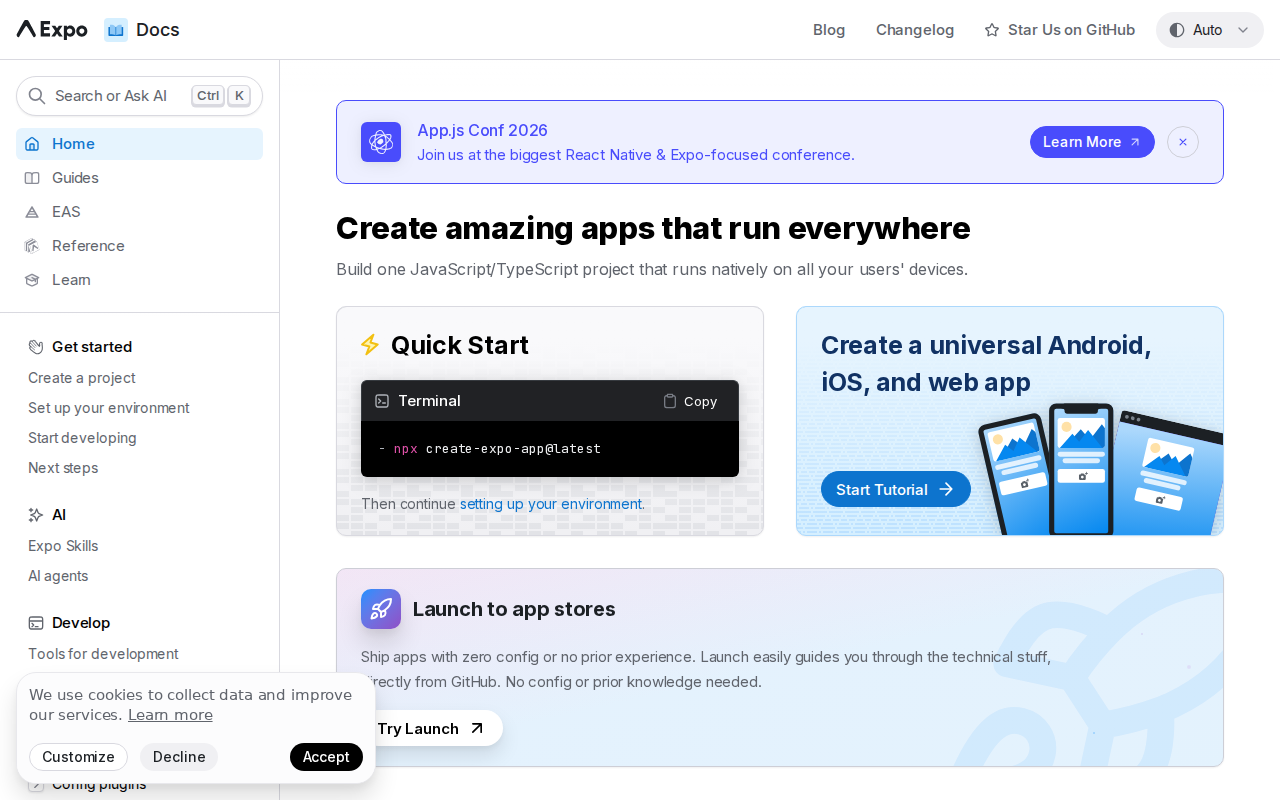
What is Expo Documentation
Expo Documentation provides comprehensive resources for building cross-platform native applications with React Native. It simplifies development by offering a unified workflow for iOS, Android, and web, eliminating the need for complex native build configurations. Expo's key differentiator is its focus on developer experience, providing tools like Expo CLI, EAS (Expo Application Services), and Snack (in-browser editor) to streamline the development, building, and deployment processes. This approach contrasts with traditional React Native setups, which often require more manual configuration and native build knowledge. Developers of all skill levels, from beginners to experienced professionals, benefit from Expo's ease of use and time-saving features, enabling faster iteration and deployment across multiple platforms.
Expo Documentation 's Core features
Cross-Platform Development
Expo enables you to write one codebase in JavaScript/TypeScript and deploy it natively on iOS, Android, and the web. This saves significant time and effort compared to developing separate native apps. The Expo SDK provides a consistent API across platforms, abstracting away platform-specific complexities. This approach reduces code duplication and streamlines maintenance.
Expo CLI & EAS
The Expo Command Line Interface (CLI) and Expo Application Services (EAS) provide a streamlined workflow for building, testing, and deploying React Native apps. EAS Build automates the build process for iOS and Android, while EAS Submit simplifies app store submissions. This reduces the need for manual configuration and native build knowledge, accelerating the development lifecycle.
Managed Workflow
Expo's managed workflow simplifies project setup and configuration by handling native build configurations behind the scenes. This allows developers to focus on writing code instead of dealing with complex native build tools. Expo manages dependencies and provides updates, ensuring a consistent and reliable development experience. This is in contrast to the bare workflow, which gives more control but requires more setup.
Expo SDK Modules
Expo provides a vast array of SDK modules that simplify access to device features and services. These modules include APIs for camera, notifications, location, and more. This simplifies the integration of native features into your React Native app without writing native code. The SDK modules are regularly updated and maintained by the Expo team.
Snack In-Browser Editor
Expo's Snack is an in-browser editor that allows you to experiment with React Native code and Expo features without any local setup. You can write, test, and share your code snippets directly in your browser. This is an excellent tool for learning, prototyping, and quickly demonstrating React Native concepts. It supports both JavaScript and TypeScript.
How to use Expo Documentation
- Get Started: Visit the Expo documentation website (docs.expo.dev).,2. Create a Project: Use the Expo CLI to create a new project by running
npx create-expo-app@latestin your terminal.,3. Set Up Environment: Follow the instructions to set up your development environment, including installing necessary dependencies like Node.js and a code editor.,4. Start Developing: Begin building your app using React Native components and Expo's SDK modules. Refer to the documentation for available APIs and examples.,5. Test and Debug: Use Expo's development tools, such as the Expo Go app on your mobile device or emulator, to test and debug your app.,6. Build and Deploy: Utilize Expo Application Services (EAS) to build and deploy your app to app stores or the web.
Use cases of Expo Documentation
Rapid Prototyping
Developers can quickly prototype mobile app ideas using Expo's in-browser editor, Snack. They can rapidly build and test UI components and functionalities without setting up a local development environment. This allows for faster iteration and validation of concepts before committing to a full-scale development effort.
Cross-Platform App Development
Teams building mobile apps for both iOS and Android can leverage Expo to share a single codebase. This reduces development time and cost, as developers can write code once and deploy it across multiple platforms. Expo's managed workflow simplifies the build and deployment process.
Learning React Native
Beginners can use Expo to learn React Native without the complexities of native build tools. The Expo CLI and Snack provide an easy entry point for experimenting with React Native components and APIs. The extensive documentation and examples make it easier to understand and implement various features.
Building Web Apps
Developers can deploy their React Native apps as web applications using Expo. This allows them to reach a wider audience and provide a consistent user experience across different platforms. Expo's web support simplifies the process of converting a mobile app into a web application.
Who benefits from Expo Documentation
React Native Beginners
Expo simplifies the initial setup and development process for those new to React Native. Its managed workflow and extensive documentation make it easier to learn and build cross-platform apps without dealing with complex native configurations.
Experienced React Native Developers
Expo streamlines the development workflow for experienced developers by providing tools for building, testing, and deploying apps. EAS Build and Submit automate time-consuming tasks, allowing developers to focus on writing code and delivering features faster.
Teams Building Cross-Platform Apps
Expo enables teams to share a single codebase for iOS, Android, and web apps, reducing development time and cost. Its cross-platform capabilities and unified workflow make it ideal for building and maintaining apps across multiple platforms.
Developers Seeking Rapid Prototyping
Expo's Snack in-browser editor allows developers to quickly prototype and test mobile app ideas without setting up a local development environment. This enables faster iteration and validation of concepts before committing to a full-scale development effort.
Pricing of Expo Documentation
Free and Open Source (MIT License). Expo offers free access to its core tools and services, including the Expo CLI, SDK, and Snack. EAS Build and Submit have usage-based pricing for advanced features.