Localtunnel ~ Expose yourself to the world
Share local web services.
Free
Support platforms
web
What is Localtunnel ~ Expose yourself to the world
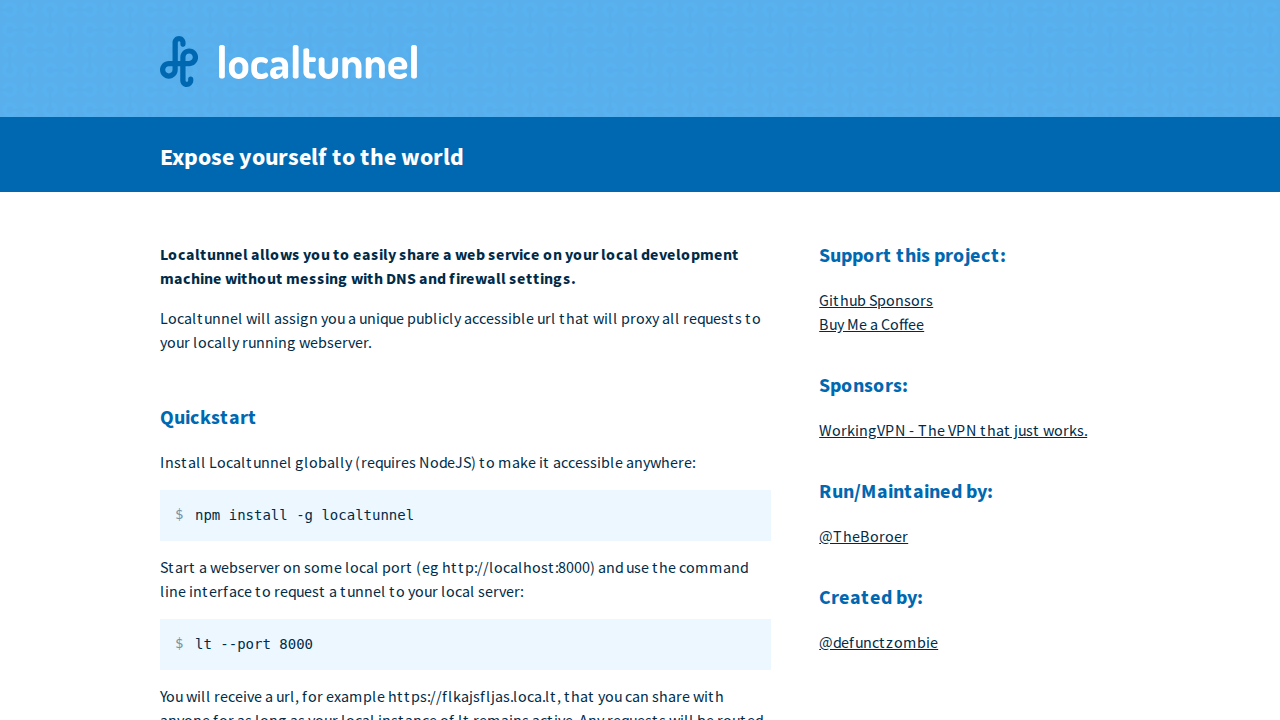
Localtunnel is a tool that allows you to easily share a web service running on your local development machine with the world. It bypasses the need to configure DNS or firewall settings. Localtunnel assigns a unique, publicly accessible URL that proxies all requests to your local webserver. This is incredibly useful for testing webhooks, showcasing your work, and testing your UI in cloud browsers. It's a simple command-line tool that's easy to set up and use. The service provides secure HTTPS tunnels and is actively maintained on GitHub. Localtunnel is a great solution for developers who need to quickly and easily expose their local development environments.
Localtunnel ~ Expose yourself to the world 's Core features
Publicly Accessible URLs
Provides unique URLs to access your local web service.
HTTPS Support
Offers secure HTTPS connections for all tunnels.
Easy Setup
Simple command-line tool for quick configuration.
Webhook Testing
Allows easy testing of webhooks during development.
Cloud Browser Testing
Test your UI in cloud browsers.
No DNS or Firewall Configuration
Bypasses the need for complex network configurations.
How to use Localtunnel ~ Expose yourself to the world
Install Localtunnel globally using npm: npm install -g localtunnel.,Start your local webserver (e.g., on port 8000).,Run lt --port <your_port_number> in your terminal (e.g., lt --port 8000).,Localtunnel will provide a public URL (e.g., https://flkajsfljas.loca.lt).,Share the URL to allow others to access your local web service.
Use cases of Localtunnel ~ Expose yourself to the world
Testing Webhooks
Easily test webhooks by providing a public URL for your local development server to receive webhook requests.
Sharing Development Work
Share your in-progress web applications with clients or colleagues for feedback and review.
Mobile App Development
Test mobile applications that interact with a backend running on your local machine.
Remote Debugging
Allow others to remotely debug your local development environment.
Who benefits from Localtunnel ~ Expose yourself to the world
Web Developers
Developers who need to share their local development environments for testing, collaboration, or demonstration.
QA Testers
Testers who need to access and test web applications running on a developer's local machine.
Pricing of Localtunnel ~ Expose yourself to the world
Localtunnel is free to use. Donations are accepted to support the project.