
AI-Flow
Connect & Orchestrate AI Models
Free
Support platforms
web
Tool tags
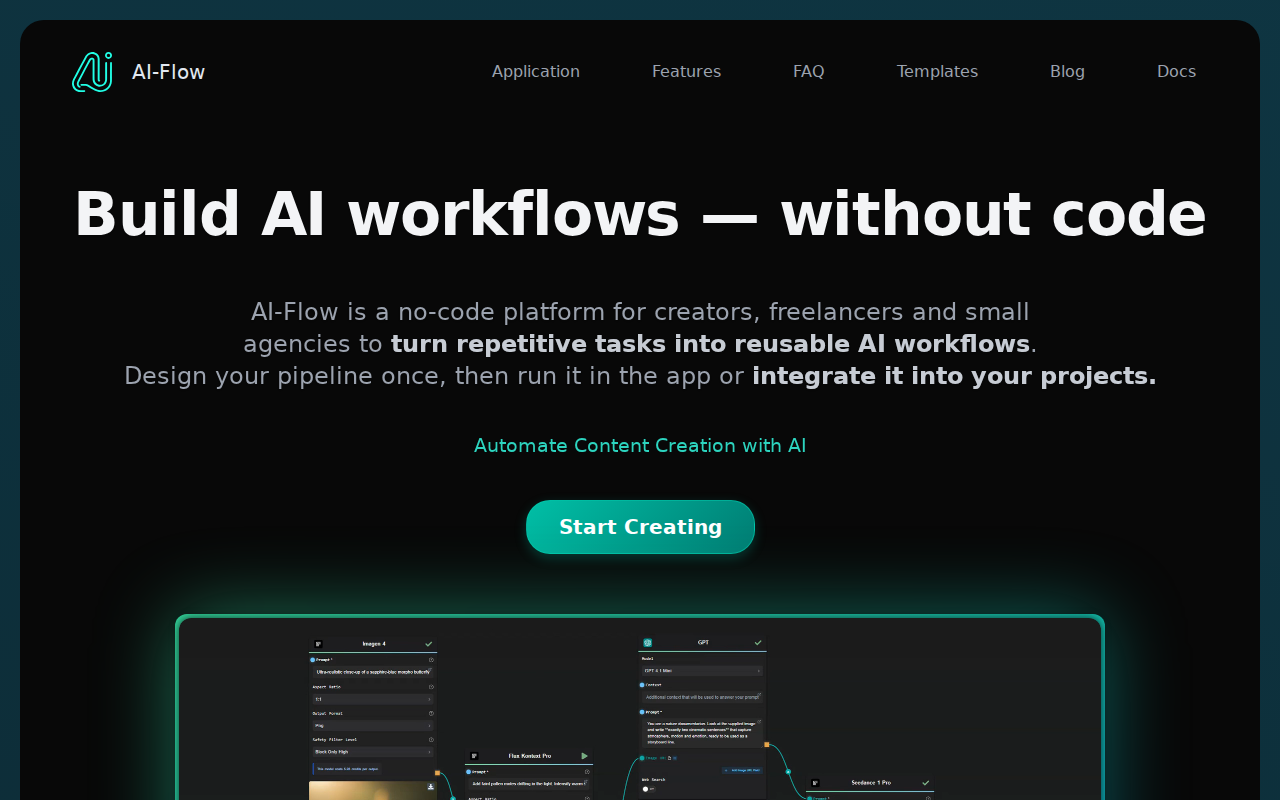
What is AI-Flow
AI-Flow simplifies the connection and orchestration of multiple AI models. It allows users to create complex workflows by chaining together different AI services, such as language models, image generators, and more. Unlike manual integration or basic scripting, AI-Flow provides a visual interface and pre-built connectors, reducing the time and technical expertise required. The platform supports both cloud and local deployments, offering flexibility for various use cases. Its key technology is a node-based workflow editor that allows users to drag and drop AI models and connect them with ease. AI-Flow is ideal for developers, researchers, and businesses looking to experiment with and deploy AI-powered applications quickly.
AI-Flow 's Core features
Visual Workflow Editor
AI-Flow features a drag-and-drop interface for creating AI workflows. This visual approach simplifies the process of connecting and orchestrating different AI models. Users can easily visualize the data flow and logic, making it easier to build and debug complex applications. This contrasts with traditional coding methods, which can be time-consuming and require extensive technical knowledge. The editor supports real-time updates and provides immediate feedback on workflow execution.
Cloud and Local Deployment
AI-Flow offers flexibility in deployment options. Users can choose the Cloud Version for automatic updates and ease of use, or they can opt for local installation using Windows executables or Docker-compose. This dual approach caters to different user preferences and technical requirements. The local deployment option allows for greater control and customization, while the cloud version provides a managed environment with automatic updates and scalability.
Pre-built Connectors
AI-Flow includes pre-built connectors for various AI models and services. These connectors simplify the integration process by providing ready-to-use interfaces for popular AI tools. This eliminates the need for manual coding and reduces the time required to connect different models. The connectors support various APIs and data formats, ensuring seamless data transfer between different AI components. This feature significantly accelerates the development process.
GitHub Repository
The project is hosted on GitHub, providing open access to the source code and allowing for community contributions. This promotes transparency and collaboration, enabling users to customize and extend the platform. The GitHub repository also serves as a central hub for documentation, bug reports, and feature requests. This collaborative approach fosters continuous improvement and ensures the platform remains up-to-date with the latest advancements in AI.
Docker-compose Support
AI-Flow offers Docker-compose support for easy local setup and deployment. This allows users to quickly set up the entire application stack with a single command. Docker-compose simplifies the management of dependencies and ensures consistent environments across different machines. This feature is particularly useful for developers who want to test and experiment with AI-Flow locally before deploying it to a production environment. It streamlines the setup process.
How to use AI-Flow
- Choose your deployment option: Cloud Version (automatic updates) or Local Installation (Windows executable or Docker-compose).,2. If using the Cloud Version, navigate to the AI-Flow application through your web browser.,3. If using Local Installation, download the Windows executable from the GitHub repository or set up using Docker-compose.,4. Access the node-based workflow editor within the application.,5. Drag and drop the desired AI models (e.g., language models, image generators) onto the canvas.,6. Connect the models by creating links between them to define the data flow and orchestration logic.
Use cases of AI-Flow
Automated Content Generation
Content creators can use AI-Flow to automate the generation of blog posts, social media updates, and marketing copy. They would connect a language model for text generation with an image generation model to create accompanying visuals. The outcome is automatically generated, high-quality content ready for publishing, saving significant time and effort.
AI-Powered Chatbots
Businesses can build sophisticated chatbots by connecting a natural language processing (NLP) model with a dialogue management system. The user would input a query, the NLP model would interpret it, and the dialogue system would provide a relevant response. The result is an intelligent chatbot that can handle complex customer interactions.
Image and Video Editing Workflows
Photographers and videographers can create automated editing workflows. They can connect image enhancement models, style transfer models, and video editing tools. The user uploads media, and AI-Flow processes it through the connected models. The outcome is automatically edited images or videos, saving time and improving creative output.
Research and Experimentation
Researchers can use AI-Flow to quickly prototype and test different AI models. They can connect various models and experiment with different configurations. The researcher can then analyze the results and iterate on their designs. The outcome is faster experimentation and validation of AI models.
Who benefits from AI-Flow
AI Developers
AI developers benefit from AI-Flow by streamlining the process of building and deploying AI-powered applications. It simplifies the integration of various AI models, reducing development time and complexity. This allows developers to focus on innovation rather than tedious integration tasks, accelerating project timelines.
Data Scientists
Data scientists can use AI-Flow to quickly prototype and test different AI models and workflows. The visual interface and pre-built connectors make it easy to experiment with various configurations and analyze the results. This accelerates the model development lifecycle and improves the efficiency of research projects.
Content Creators
Content creators can leverage AI-Flow to automate content generation tasks. They can connect language models, image generators, and other tools to create blog posts, social media updates, and marketing materials. This automation saves time and effort, allowing creators to focus on strategy and audience engagement.
Businesses
Businesses can use AI-Flow to build AI-powered applications, such as chatbots, automated content generation systems, and more. This enables them to improve customer service, streamline operations, and enhance marketing efforts. The platform's ease of use and flexibility make it accessible to businesses of all sizes.
Pricing of AI-Flow
Free and open-source, available on GitHub. Cloud version details not explicitly stated on the landing page.