Difftastic, a structural diff
Structural diff tool for code.
Verdict
Best for Code review
Difftastic is a command line tool that performs structural diffs, comparing files based on their syntax rather than line by line
Best for
Software developers
Open-source contributors
Key Features
Syntax-aware diffing
Ignores formatting changes
Visualizes wrapping changes
Actions
Share
Difftastic, a structural diff Screenshots & Demo
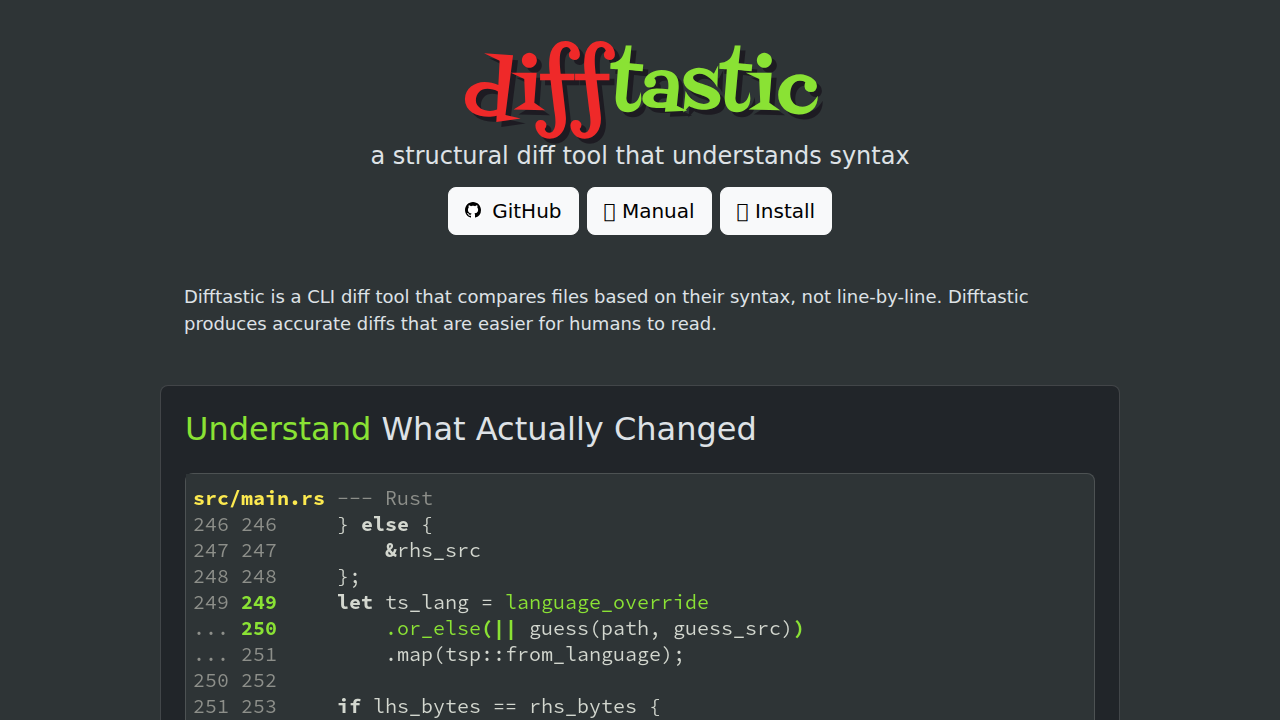
What is Difftastic, a structural diff
Difftastic is a command-line tool that performs structural diffs, comparing files based on their syntax rather than line-by-line. This approach provides more accurate and human-readable diffs, especially when dealing with code formatting changes or wrapper additions. It leverages tree-sitter for parsing various programming languages and file formats, allowing it to identify the actual changes within the code, ignoring formatting differences. Difftastic supports a wide range of languages and file formats, providing a clear visualization of changes, including line numbers from the original files. It is open-source, MIT-licensed, and integrates with Git for easy use in version control workflows. The tool is designed to enhance code review and understanding by focusing on the semantic changes rather than superficial formatting alterations.
Difftastic, a structural diff 's Core features
Syntax-aware diffing
Compares code based on its syntax, providing more accurate diffs.
Ignores formatting changes
Focuses on semantic changes, filtering out cosmetic differences.
Visualizes wrapping changes
Accurately identifies and displays changes within wrappers.
Real line numbers
Shows actual line numbers from the original files for easier navigation.
Wide language support
Supports numerous programming languages, including Clojure, Dart, Haskell, and more.
File format support
Supports various file formats like HTML, JSON, and YAML.
Git integration
Seamlessly integrates with Git for use in version control workflows.
How to use Difftastic, a structural diff
Install Difftastic using the instructions provided on the website (e.g., via package managers or from source).,Configure Git to use Difftastic as your diff tool (see the manual for specific instructions).,Navigate to your Git repository in the terminal.,Make changes to your files and stage them.,Use git diff or git difftool to view the structural diffs generated by Difftastic.
Use cases of Difftastic, a structural diff
Code review
Easily identify and understand the actual changes made in code, improving the review process.
Understanding code changes
Quickly grasp the semantic differences between code versions, even with formatting variations.
Identifying refactoring changes
Clearly see the impact of refactoring efforts by focusing on structural modifications.
Comparing code across different formatting styles
Compare code that uses different formatting styles without being distracted by cosmetic differences.
Who benefits from Difftastic, a structural diff
Software developers
Developers who need to review code changes, understand code history, and manage code versions effectively.
Open-source contributors
Contributors who want to easily see the changes made in pull requests and understand the impact of their contributions.
Pricing of Difftastic, a structural diff
Difftastic is open-source and MIT-licensed, meaning it is completely free to use, modify, and distribute.
Alternatives to Difftastic, a structural diff

Framer
Framer is a powerful design tool for creating websites quickly and efficiently, integrating CMS, SEO, and analytics.