Ollama
Run & build LLMs locally.
Free
Support platforms
web
What is Ollama
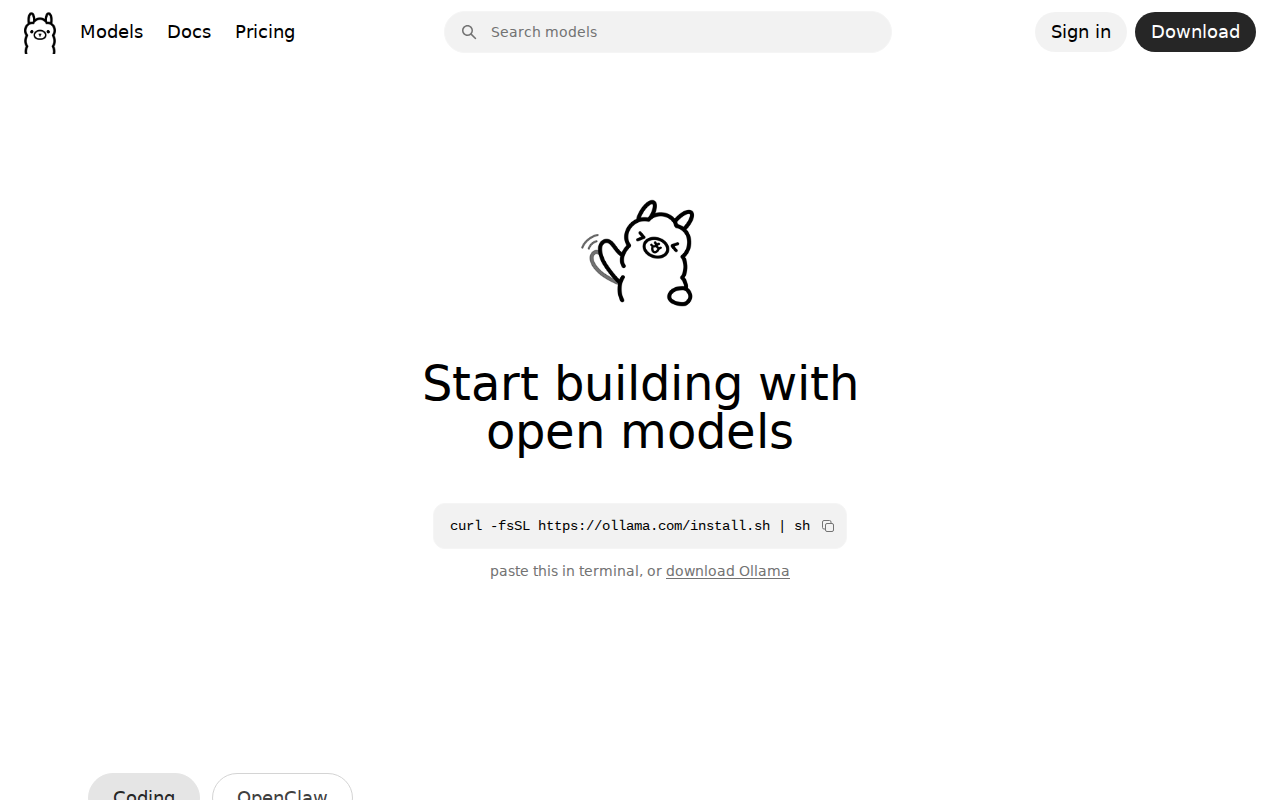
Ollama allows users to run and experiment with large language models (LLMs) locally, offering a streamlined experience for developers and researchers. It simplifies the process of downloading, running, and managing various open-source models directly on a user's machine. Unlike cloud-based solutions, Ollama prioritizes local execution, ensuring data privacy and control. It differentiates itself by providing a simple command-line interface and a focus on ease of use, making it accessible even for those with limited experience in AI model deployment. This approach leverages technologies like optimized model serving and efficient resource management. Ollama is ideal for developers, researchers, and anyone interested in exploring and building with LLMs without the complexities of cloud infrastructure.
Ollama 's Core features
Local Model Execution
Ollama runs LLMs directly on your local machine, eliminating the need for cloud services. This ensures data privacy and reduces latency. This is achieved by optimizing model loading and inference processes, allowing for efficient use of local CPU and GPU resources. This contrasts with cloud-based services that can introduce network latency and data security concerns.
Simple Command-Line Interface
Ollama provides a straightforward CLI for easy model management and interaction. Commands like `ollama pull`, `ollama run`, and `ollama list` simplify the process of downloading, running, and managing models. This user-friendly interface lowers the barrier to entry for developers and researchers, making it easier to experiment with different LLMs without complex setup procedures.
Model Library Integration
Ollama integrates with a model library, allowing users to easily discover and download a wide variety of open-source LLMs. This library provides pre-configured models, simplifying the setup process. The library includes models like Llama 2, Mistral, and others, offering a diverse range of capabilities and performance characteristics, all accessible with a single command.
API for Integration
Ollama offers an API that allows developers to integrate LLMs into their applications. This API provides programmatic access to model inference, enabling the creation of custom applications and workflows. The API supports standard HTTP requests and responses, making it easy to integrate with various programming languages and frameworks.
Modelfile Customization
Users can customize model behavior using a Modelfile, which allows for adjustments to model parameters, prompt templates, and other settings. This enables fine-tuning of the model's performance and behavior to suit specific use cases. This level of customization allows for tailored model interactions and improved results, catering to specific application requirements.
Cross-Platform Compatibility
Ollama is designed to run on macOS, Linux, and Windows, providing broad compatibility across different operating systems. This allows users to run LLMs on their preferred hardware and software environments. The cross-platform support ensures that a wide range of users can access and utilize the tool, regardless of their operating system preferences.
How to use Ollama
- Download and install Ollama for your operating system (macOS, Linux, or Windows) from the official website using the provided installation script:
curl -fsSL https://ollama.com/install.sh | sh.,2. Explore available models by visiting the Ollama model library or using theollama listcommand in your terminal to see installed models.,3. Pull a specific model using theollama pull <model_name>command (e.g.,ollama pull llama2). This downloads the model to your local machine.,4. Run the model by typingollama run <model_name>in your terminal. This starts an interactive session where you can input prompts and receive responses.,5. Use the Ollama API to integrate models into your applications. The API is accessible via HTTP, allowing you to send prompts and receive model outputs programmatically.,6. Customize your experience by modifying the model's configuration using the Modelfile, allowing you to adjust parameters like context window size and prompt templates.
Use cases of Ollama
Local Development
Developers use Ollama to experiment with LLMs locally during development. They can test different models, fine-tune prompts, and integrate LLMs into their applications without relying on cloud-based APIs. This allows for faster iteration cycles and reduced costs associated with cloud usage.
Research and Experimentation
Researchers utilize Ollama to explore and evaluate different LLMs. They can easily download and run various models, compare their performance, and conduct experiments in a controlled environment. This facilitates in-depth analysis and the development of new AI techniques.
Privacy-Focused Applications
Users build applications that require data privacy by running LLMs locally. They can process sensitive information without sending it to external servers. This is particularly useful in industries like healthcare and finance where data security is paramount.
Offline LLM Access
Individuals use Ollama to access LLMs even without an internet connection. They can download models and use them for tasks such as text generation, summarization, and question answering. This is ideal for scenarios where internet access is limited or unavailable.
Who benefits from Ollama
AI Developers
AI developers benefit from Ollama by having a local environment to test and integrate LLMs into their projects. It simplifies the development process and allows for faster iteration cycles, enabling them to build and deploy AI-powered applications more efficiently.
Researchers
Researchers use Ollama to experiment with different LLMs, conduct comparative analyses, and explore new AI techniques. The local execution environment provides control over the models and data, facilitating in-depth research and experimentation.
Privacy-Conscious Users
Users who are concerned about data privacy can leverage Ollama to run LLMs locally, ensuring that their data remains within their control. This is particularly important for handling sensitive information and maintaining data security.
Hobbyists and Enthusiasts
Hobbyists and enthusiasts can use Ollama to explore and experiment with LLMs without the need for complex infrastructure or cloud services. The easy-to-use interface and model library make it accessible for anyone interested in AI.
Pricing of Ollama
Free and open-source (MIT License). No paid plans are mentioned on the website.