Zen Browser
Privacy-focused, distraction-free browser
Free
Support platforms
web
What is Zen Browser
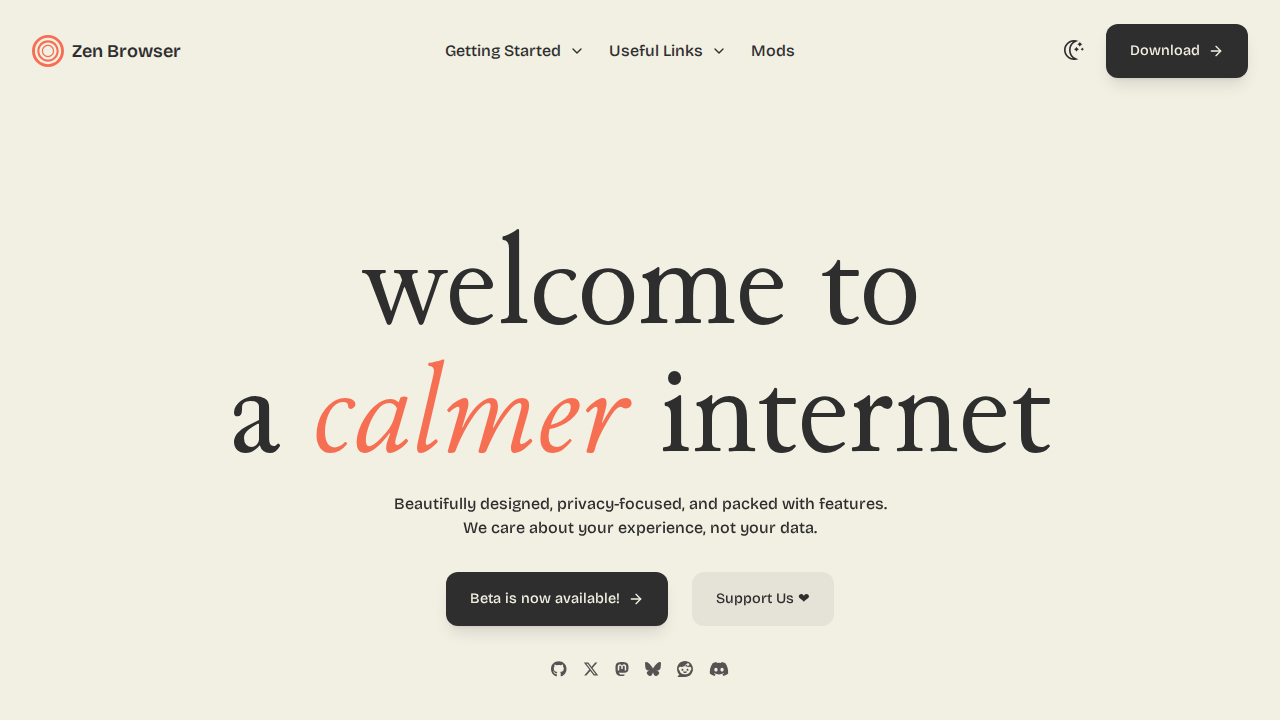
Zen Browser is a web browser designed for a calmer and more focused online experience. It prioritizes privacy and minimizes distractions by blocking trackers and ads, offering a clean and streamlined interface. Unlike traditional browsers cluttered with features, Zen Browser focuses on essential functionality, promoting mindful browsing. It differentiates itself through its minimalist design and commitment to user privacy, contrasting with mainstream browsers that often prioritize data collection and feature bloat. The browser uses a combination of built-in ad-blocking, tracker prevention, and a customizable interface to create a more serene browsing environment. It's ideal for users who value privacy, want to reduce digital distractions, and seek a faster, more efficient browsing experience.
Zen Browser 's Core features
Built-in Ad Blocking
Zen Browser incorporates an integrated ad blocker that automatically prevents intrusive advertisements from loading. This not only speeds up page load times but also reduces data consumption and minimizes distractions. The ad blocker leverages regularly updated filter lists to effectively block a wide range of ad formats, including banners, pop-ups, and video ads, enhancing the overall browsing experience.
Tracker Prevention
The browser actively blocks website trackers, preventing them from monitoring your online activity. This feature enhances user privacy by limiting the collection of browsing data. Zen Browser employs various techniques, including blocking known tracking scripts and cookies, to safeguard user data and maintain anonymity while browsing the web.
Minimalist Interface
Zen Browser features a clean and uncluttered interface, designed to reduce distractions and promote focus. The streamlined design removes unnecessary elements, allowing users to concentrate on the content they are viewing. This minimalist approach contributes to a more efficient and enjoyable browsing experience, free from visual clutter.
Customizable Themes
Users can personalize their browsing experience with customizable themes, including light and dark modes. This feature allows users to adjust the browser's appearance to suit their preferences and reduce eye strain. The theme settings are easily accessible, providing a simple way to switch between modes based on time of day or personal preference.
Privacy-Focused Settings
Zen Browser offers a range of privacy-focused settings, allowing users to control their data and browsing behavior. These settings include options for managing cookies, site permissions, and other privacy-related features. Users can customize these settings to enhance their privacy and security while browsing the web.
How to use Zen Browser
- Download and install Zen Browser from the official website (zen-browser.app).,2. Upon launch, the browser automatically blocks ads and trackers, providing a cleaner browsing experience.,3. Customize the interface by adjusting themes (light/dark) in the settings.,4. Explore the browser's settings to manage cookies, site permissions, and other privacy-related options.,5. Use the built-in features to enhance focus, such as the ability to hide unnecessary elements on webpages.,6. Browse the web as usual, enjoying a faster and more private browsing experience.
Use cases of Zen Browser
Privacy-Conscious Browsing
A user concerned about online privacy uses Zen Browser to browse the web without being tracked by advertisers or data collectors. They can read news articles, research products, and communicate online, knowing their browsing history and personal information are protected from unwanted surveillance.
Focused Research
A student uses Zen Browser to conduct research for a school project. The browser's ad-blocking and minimalist interface help them stay focused on their research, minimizing distractions from advertisements and other website elements, leading to more efficient information gathering.
Reduced Digital Distractions
A professional uses Zen Browser to work on important tasks. The browser's clean interface and ad-blocking features help them avoid distractions from ads and other website elements, increasing productivity and reducing the time spent on non-work-related activities.
Secure Online Shopping
A user shopping online uses Zen Browser to protect their personal and financial information. The browser's tracker prevention and privacy settings help secure their online transactions, reducing the risk of data breaches and identity theft while making purchases.
Who benefits from Zen Browser
Privacy Advocates
Individuals who prioritize their online privacy and want to minimize data collection by websites and advertisers. They seek tools that offer strong privacy protections and control over their personal information.
Students and Researchers
Users who need to focus on their work and minimize distractions while browsing the web. They benefit from a clean, uncluttered interface and ad-blocking features that enhance productivity.
Professionals
Individuals who want to improve their productivity and reduce distractions while working online. They need a browser that offers a clean interface and privacy features to help them stay focused on their tasks.
Tech-Savvy Users
Users who are familiar with privacy tools and are looking for a browser that offers advanced privacy settings and customization options. They appreciate a browser that gives them control over their online experience.
Pricing of Zen Browser
Free to use.