Headless Browser Automation for AI
Headless browser automation for AI.
Verdict
Best for AI-driven web scraping
agent browser is a CLI tool for headless browser automation, specifically designed for AI agents
Best for
AI developers
Web automation engineers
Key Features
Agent-first design
Ref-based element selection
Fast performance
Actions
Share
Headless Browser Automation for AI Screenshots & Demo
What is Headless Browser Automation for AI
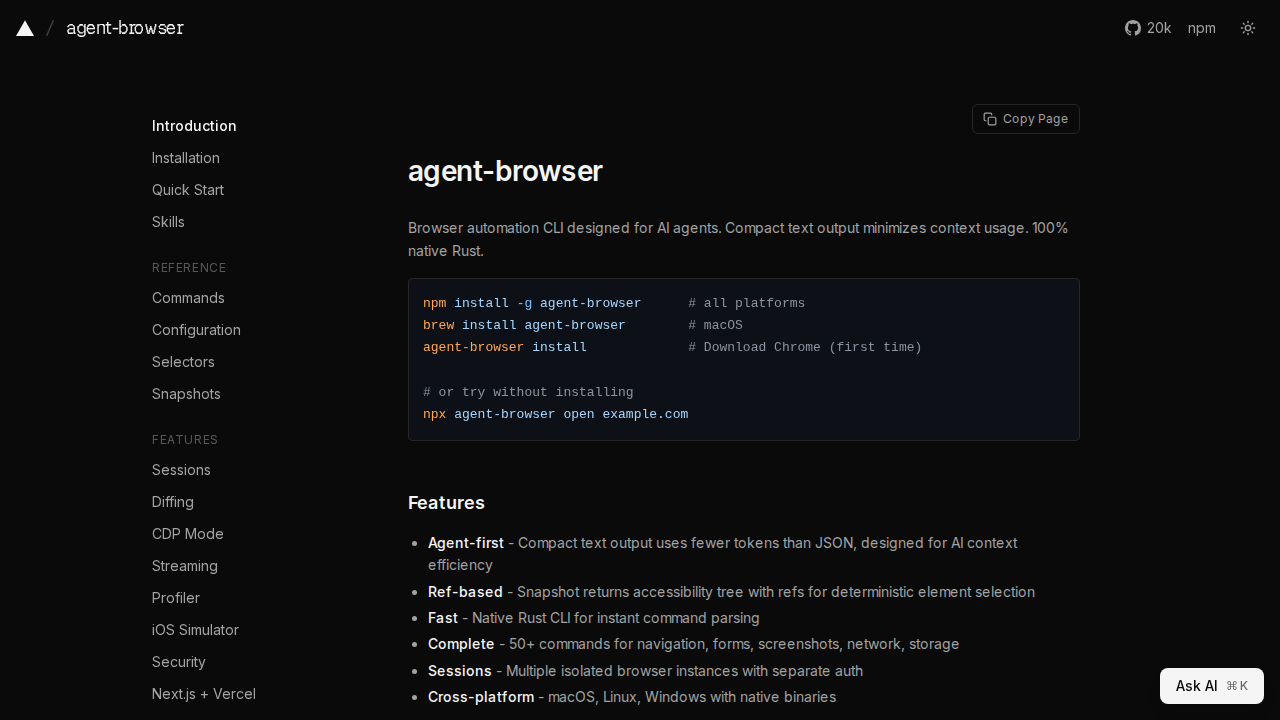
agent-browser is a CLI tool for headless browser automation, specifically designed for AI agents. Built with native Rust, it offers fast and efficient command parsing and execution. The tool focuses on compact text output to minimize token usage, making it ideal for AI context efficiency. It provides a comprehensive set of over 50 commands for navigation, form interaction, screenshots, network control, and storage management. Features include sessions for isolated browser instances, cross-platform support (macOS, Linux, Windows), and compatibility with various AI agents like Claude Code, Cursor, and OpenAI Codex. The tool's ref-based snapshot feature provides a deterministic element selection using accessibility trees.
Headless Browser Automation for AI 's Core features
Agent-first design
Compact text output optimizes token usage for AI agents.
Ref-based element selection
Uses accessibility trees with refs for deterministic interaction.
Fast performance
Native Rust CLI ensures instant command parsing and execution.
Comprehensive command set
Offers 50+ commands for various browser automation tasks.
Session management
Supports multiple isolated browser instances with separate auth.
Cross-platform compatibility
Works on macOS, Linux, and Windows with native binaries.
How to use Headless Browser Automation for AI
Install agent-browser using your preferred package manager (e.g., brew, npm).,Download Chrome (if not already installed) using agent-browser install.,Open a website using agent-browser open <url>.,Get a snapshot of the page using agent-browser snapshot.,Interact with elements using refs (e.g., agent-browser click <ref>).
Use cases of Headless Browser Automation for AI
AI-driven web scraping
Automate data extraction from websites for AI training or analysis.
Automated testing
Test web applications and ensure functionality using AI agents.
AI-powered web interaction
Enable AI agents to interact with websites for various tasks.
Who benefits from Headless Browser Automation for AI
AI developers
Developers building AI agents that require web interaction.
Web automation engineers
Engineers looking for a fast and efficient headless browser automation tool.
Pricing of Headless Browser Automation for AI
agent-browser is available for free and open-source.