Node.js — Run JavaScript Everywhere
JavaScript Runtime Environment
Free
Support platforms
web
What is Node.js — Run JavaScript Everywhere
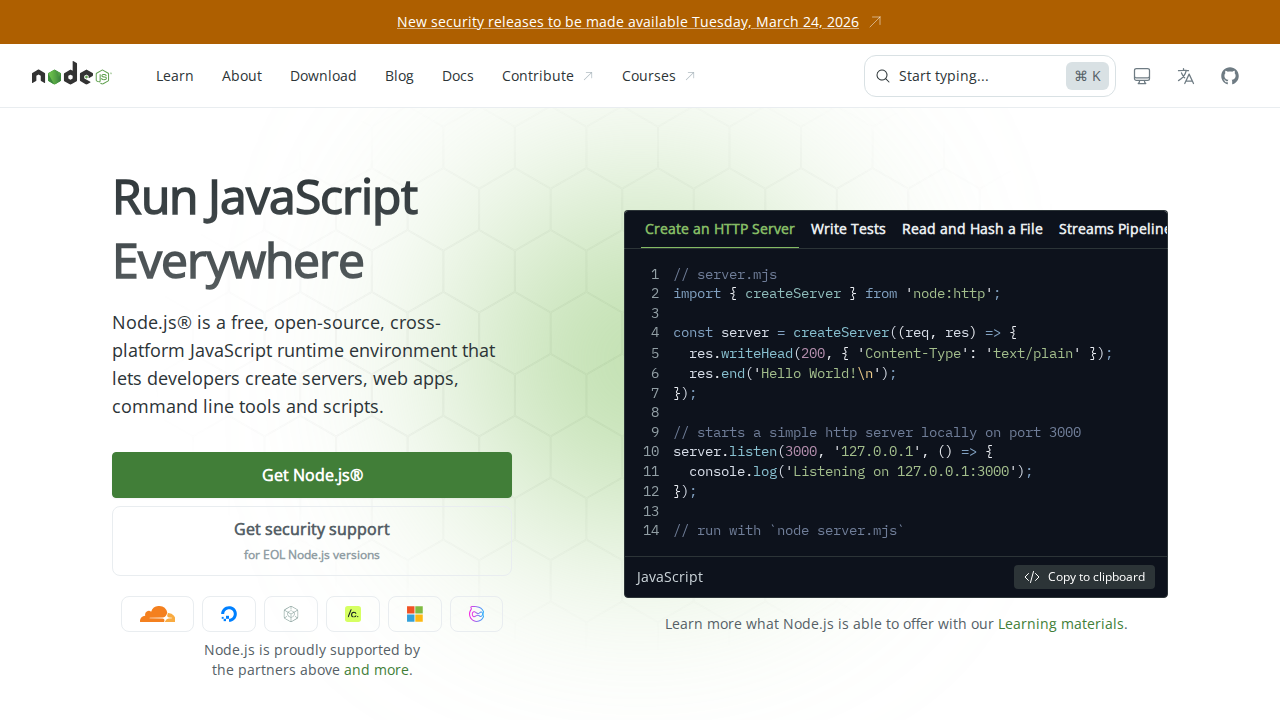
Node.js is a free, open-source, cross-platform JavaScript runtime environment that allows developers to execute JavaScript code outside of a web browser. Its core value proposition lies in enabling the creation of scalable network applications, command-line tools, and server-side logic using a single language: JavaScript. Unlike traditional server-side technologies, Node.js uses a non-blocking, event-driven architecture, making it highly efficient for handling concurrent requests. This unique approach allows it to outperform many alternatives in terms of speed and resource utilization, especially in I/O-bound applications. Node.js is built on the V8 JavaScript engine, providing fast execution and a rich ecosystem of modules through npm (Node Package Manager). It benefits developers building web applications, APIs, and real-time applications, streamlining development and deployment.
Node.js — Run JavaScript Everywhere 's Core features
Non-Blocking, Event-Driven Architecture
Node.js utilizes a non-blocking, event-driven I/O model. This means that it can handle multiple concurrent requests without creating new threads for each one. Instead, it uses an event loop to manage asynchronous operations, leading to high performance and scalability, especially in applications with frequent I/O operations. This contrasts with traditional thread-based servers, which can become resource-intensive.
V8 JavaScript Engine
Node.js leverages Google's V8 JavaScript engine, the same engine that powers Chrome. This provides fast JavaScript execution speeds, enabling efficient server-side processing. The V8 engine compiles JavaScript directly to native machine code, optimizing performance. This allows Node.js applications to be highly performant and responsive, even under heavy load.
npm (Node Package Manager)
npm is the world's largest software registry, providing access to a vast ecosystem of reusable code packages. Developers can easily install, manage, and share code modules, significantly accelerating development. npm simplifies dependency management, ensuring that all required libraries and their dependencies are correctly installed and updated. This promotes code reuse and reduces development time.
Cross-Platform Compatibility
Node.js runs on various operating systems, including Windows, macOS, and Linux. This cross-platform compatibility allows developers to write code once and deploy it across different environments without modification. This portability simplifies development and deployment processes, making it easier to reach a wider audience and support diverse infrastructure setups.
Large and Active Community
Node.js boasts a large and active community, providing extensive support, documentation, and a wealth of open-source resources. Developers can easily find solutions to problems, access pre-built modules, and collaborate with other developers. This strong community support accelerates learning and development, making Node.js a robust and reliable platform.
How to use Node.js — Run JavaScript Everywhere
- Download the Node.js installer from the official website (nodejs.org) for your operating system (Windows, macOS, or Linux).,2. Run the installer and follow the on-screen instructions. Ensure that npm (Node Package Manager) is included in the installation.,3. Verify the installation by opening a terminal or command prompt and typing
node -vandnpm -v. This should display the installed versions.,4. Create a new JavaScript file (e.g.,server.js) and write your server-side code using Node.js modules likehttpor frameworks like Express.js.,5. In your terminal, navigate to the directory containing your JavaScript file and run it using the commandnode server.js.,6. Access your application in a web browser by navigating to the appropriate URL (e.g.,http://localhost:3000) if your code includes a server that listens on port 3000.
Use cases of Node.js — Run JavaScript Everywhere
Real-time Applications
Node.js is ideal for building real-time applications like chat applications, online gaming platforms, and collaborative tools. Developers can leverage its non-blocking I/O and event-driven architecture to handle numerous concurrent connections efficiently, providing a responsive and interactive user experience. For example, a chat application can handle thousands of concurrent users with minimal server resources.
API Development
Node.js is frequently used for developing RESTful APIs and backend services. Its speed and efficiency make it well-suited for handling API requests and responses. Developers can use frameworks like Express.js to quickly build robust and scalable APIs. This allows for efficient data handling and integration with various front-end applications.
Command-Line Tools
Node.js can be used to create command-line tools and scripts for automating tasks, processing data, and interacting with other systems. Developers can use npm to install command-line tools and create custom scripts to streamline workflows. For example, a developer might create a script to automate image optimization or file processing.
Who benefits from Node.js — Run JavaScript Everywhere
Web Developers
Web developers benefit from Node.js by being able to use JavaScript for both front-end and back-end development. This reduces the need to learn multiple languages, streamlines development workflows, and allows for code reuse. This leads to faster development cycles and improved productivity.
Full-Stack Developers
Full-stack developers can leverage Node.js to build complete web applications, from the client-side interface to the server-side logic and database interactions. Node.js's versatility enables them to manage all aspects of a project with a single language, simplifying project management and reducing the learning curve.
Backend Developers
Backend developers can use Node.js to build scalable and efficient server-side applications, APIs, and microservices. Node.js's non-blocking I/O model and event-driven architecture make it well-suited for handling high traffic and real-time applications, improving server performance and scalability.
Pricing of Node.js — Run JavaScript Everywhere
Node.js is free and open-source, available under the MIT license. This allows for unrestricted use, modification, and distribution, making it accessible to all developers and organizations.