Remotion
Programmatic Video Creation with React
Freemium
Support platforms
web
What is Remotion
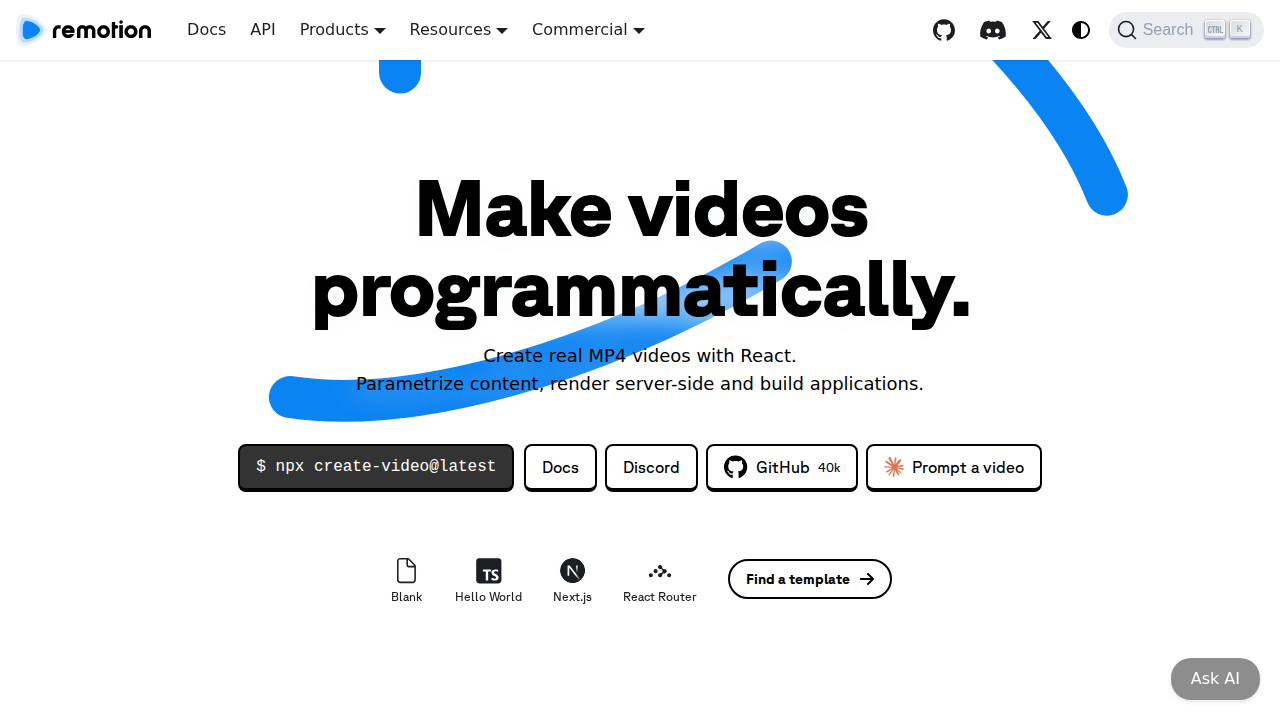
Remotion is a powerful framework that allows developers to create videos programmatically using React. It empowers users to build dynamic, data-driven videos, offering a unique approach compared to traditional video editing software. The core value proposition lies in its ability to parameterize video content, render server-side, and integrate seamlessly into applications. Remotion leverages the power of React for video creation, enabling developers to leverage their existing frontend skills. It supports scalable rendering options, including local, server, and serverless environments. This makes it ideal for use cases like music visualizations, captions, screencasts, and year-in-review videos. Developers, designers, and content creators benefit most from Remotion, streamlining video production workflows and enabling dynamic video generation.
Remotion 's Core features
React-Based Video Creation
Remotion utilizes React, a popular JavaScript library, for building videos. This allows developers to leverage their existing React knowledge and component-based architecture for video creation. This approach enables dynamic content, reusability, and easier maintenance compared to traditional video editing software. It supports all React features, including state management, props, and component composition, making it highly flexible.
Server-Side Rendering
Remotion supports server-side rendering (SSR) of videos, enabling dynamic content generation and improved performance. SSR allows for pre-rendering videos, optimizing for SEO and faster initial load times. This is particularly useful for creating personalized videos or generating videos based on real-time data. Server-side rendering also reduces the load on client-side devices.
Scalable Rendering Options
Remotion offers various rendering options, including local, server, and serverless. This flexibility allows users to choose the best approach based on their needs and budget. Serverless rendering, in particular, provides scalability and cost-effectiveness for high-volume video production. Users can render videos on demand or schedule them for batch processing.
Dynamic Content Parameterization
Remotion allows for easy parameterization of video content. Users can pass data to video components, enabling dynamic content generation. This is useful for creating personalized videos, such as birthday greetings or product demos. Data can be sourced from APIs, databases, or user input, making videos highly adaptable and responsive to changing information.
Remotion Studio & Player
Remotion provides tools like Remotion Studio and Player to streamline the video creation process. Remotion Studio offers a visual interface for editing and previewing videos, while Remotion Player allows for easy video playback and integration into web applications. These tools enhance the developer experience and simplify video management.
Integration with Existing Tools
Remotion seamlessly integrates with existing development workflows and tools. It supports popular package managers like npm and yarn, and it can be easily integrated into CI/CD pipelines. This allows developers to incorporate video creation into their existing development processes without significant changes to their toolchain. It also supports various video formats.
How to use Remotion
- Install Remotion CLI:
npm install -g remotion.,2. Create a new Remotion project:remotion create my-video.,3. Navigate to your project directory:cd my-video.,4. Develop your video components using React within thesrc/directory.,5. Render a video locally:remotion render src/index.tsx MyVideoOut.mp4.,6. Deploy your video to a serverless environment for scalable rendering.
Use cases of Remotion
Music Visualizations
Musicians and music producers can use Remotion to create dynamic music visualizations that respond to audio input. They can visualize waveforms, create animated backgrounds, and display song lyrics, enhancing the listening experience and promoting their music on platforms like YouTube and Spotify.
Automated Video Captions
Content creators can automatically generate video captions using Remotion. They can integrate speech-to-text APIs and display captions in real-time or as a post-production step. This increases video accessibility and engagement, making content available to a wider audience, including those who are deaf or hard of hearing.
Year-in-Review Videos
Businesses and individuals can create automated year-in-review videos using Remotion. They can pull data from various sources, such as social media, analytics, and databases, to generate personalized summaries of the year's achievements and milestones. These videos can be shared on social media or used internally.
Product Demo Videos
Software companies can create dynamic product demo videos that showcase features and functionality. By parameterizing the video content, they can tailor demos to specific user segments or product updates. This approach allows for more engaging and informative product presentations.
Screencasts and Tutorials
Educators and developers can use Remotion to create screencasts and tutorials. They can record their screen, add annotations, and incorporate dynamic elements to explain concepts and demonstrate software usage. This approach provides a more engaging and interactive learning experience.
Who benefits from Remotion
Frontend Developers
Frontend developers can leverage their existing React skills to create videos programmatically. Remotion allows them to build dynamic and interactive video content, expanding their skillset and enabling them to contribute to video-based projects without learning new tools.
Content Creators
Content creators can automate video production and create engaging content more efficiently. Remotion enables them to generate videos from data, personalize content, and streamline their video workflows, saving time and resources.
Marketing Teams
Marketing teams can create dynamic video campaigns and product demos. Remotion allows them to personalize videos, A/B test different versions, and integrate video content into their marketing funnels, improving engagement and conversion rates.
Video Editors
Video editors can use Remotion to automate repetitive tasks and create complex video effects. Remotion allows them to build custom video tools and workflows, enhancing their productivity and enabling them to create more sophisticated video content.
Pricing of Remotion
Remotion offers a commercial license with pricing available on their website. They also have a free tier for individual use and open-source projects. The specific details of the free tier and commercial licenses are not explicitly stated on the landing page.