
Optimal Workshop
First-click usability testing
Freemium
Support platforms
web
What is Optimal Workshop
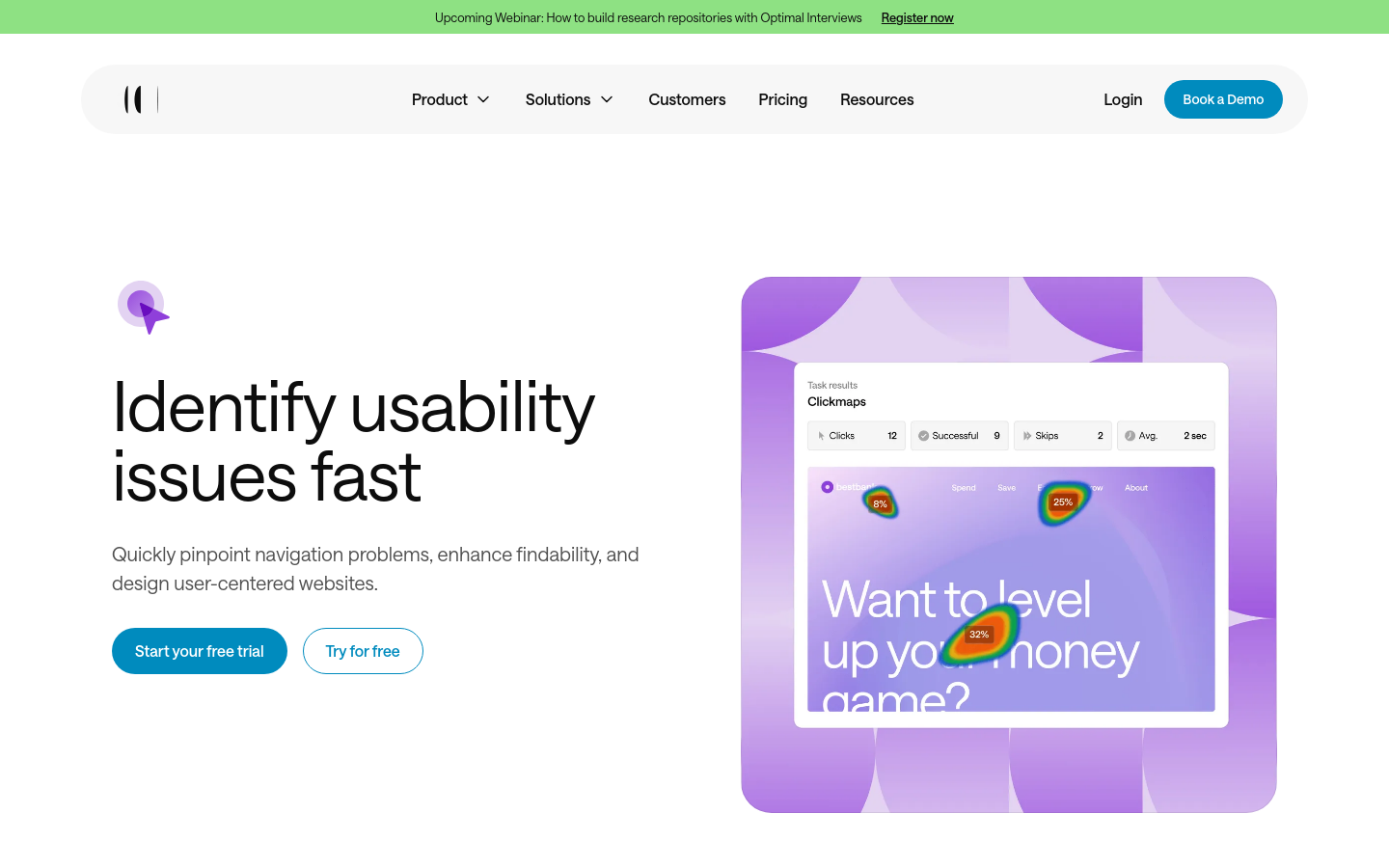
Chalkmark by Optimal Workshop is a specialized remote usability testing tool designed to validate information architecture and interface design through first-click analysis. Unlike traditional usability testing that requires moderated sessions, Chalkmark allows designers to upload wireframes or live site screenshots and set specific tasks for users. By tracking exactly where a user clicks first, the platform provides quantitative data on whether your navigation, labeling, and layout effectively guide users to their intended destination. It is built for UX researchers and product designers who need to validate design decisions before moving to high-fidelity development, reducing the risk of costly post-launch rework.
Optimal Workshop 's Core features
First-Click Heatmap Visualization
Generates high-resolution heatmaps that aggregate user clicks on your design assets. This visual representation allows teams to instantly identify 'hot zones' where users are interacting, helping to confirm if the primary call-to-action is intuitive. By comparing these heatmaps against your intended design path, you can quantify the effectiveness of your visual hierarchy and layout.
Task Success Rate Tracking
Automatically calculates the percentage of users who successfully clicked on the correct area for a given task. This metric provides a clear, objective success score, allowing teams to benchmark different design iterations. It eliminates subjective guesswork by providing hard data on whether users can navigate your interface without guidance.
Time-to-Click Analytics
Measures the exact duration in milliseconds from the moment the task is presented until the user makes their first click. This provides insight into cognitive load; a long time-to-click often indicates that the user is struggling to interpret the interface, even if they eventually click the correct spot. This is critical for optimizing high-conversion pathways.
Participant Recruitment Integration
Seamlessly integrates with the Optimal Workshop recruitment panel, allowing you to source participants based on specific demographics, job roles, or geographic locations. This ensures that your usability data is representative of your actual user base, rather than relying on internal team members who may have biased perspectives on the product.
Cross-Device Data Aggregation
Collects interaction data across desktop, tablet, and mobile devices, allowing you to compare how navigation patterns shift across screen sizes. This is essential for responsive design validation, ensuring that your information architecture remains intuitive regardless of the user's hardware, preventing usability gaps that often occur during mobile-first transitions.
How to use Optimal Workshop
Log in to your Optimal Workshop account and create a new Chalkmark study.,Upload your design assets (JPG, PNG, or GIF) representing the interface screens.,Define specific tasks for participants, such as 'Where would you click to update your billing information?'.,Distribute the study link to your target audience via email, social media, or a participant recruitment panel.,Analyze the heatmap and click-path data to identify success rates and time-to-click metrics.,Export the results as a PDF or CSV report to share findings with stakeholders.
Use cases of Optimal Workshop
Validating New Navigation Menus
UX designers use Chalkmark to test if users can correctly identify menu items before a site redesign. By measuring first-click success, they ensure that new labels and categories are intuitive, preventing navigation friction before the code is finalized.
Optimizing Landing Page Conversions
Marketing teams test different CTA placements on landing pages. By observing where users click first, they can determine if the primary offer is visible and compelling, leading to higher conversion rates through data-backed layout adjustments.
Remote Usability Benchmarking
Product managers use Chalkmark to compare the usability of their current interface against a competitor's. By running identical tasks on both, they gain a quantitative competitive advantage score to justify design resource allocation.
Who benefits from Optimal Workshop
UX Designers
Need to validate design concepts and wireframes quickly without the overhead of full-scale moderated user testing sessions.
Product Managers
Require quantitative data to justify design changes to stakeholders and ensure that new features align with user mental models.
Conversion Rate Optimizers (CRO)
Focus on identifying friction points in the user journey that prevent users from completing key tasks like checkout or sign-up.
Pricing of Optimal Workshop
Free plan available for small studies. Paid plans start at $166/mo (billed annually) for Pro, offering unlimited studies and advanced reporting.