Microsoft Copilot: Your AI companion
Microsoft's AI Chat Companion
Free
Support platforms
web
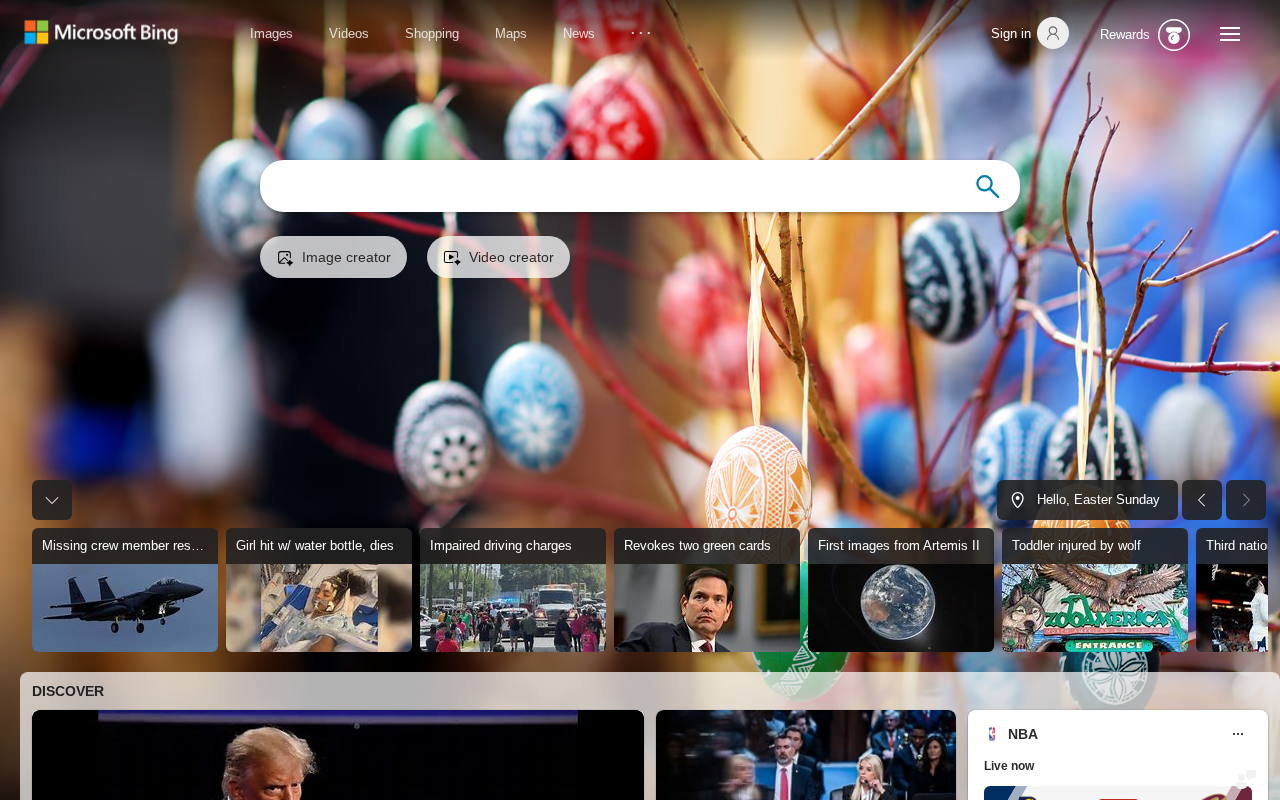
What is Microsoft Copilot: Your AI companion
Microsoft Copilot is an AI-powered chatbot designed to provide information, generate creative content, and assist with various tasks. It leverages advanced language models to understand user queries and deliver relevant responses, summaries, and suggestions. Unlike basic search engines, Copilot offers conversational interactions, allowing users to refine their requests and explore topics in depth. It integrates with Microsoft services and provides access to features like image generation and code assistance, making it a versatile tool for both personal and professional use. Users benefit from its ability to quickly find information, brainstorm ideas, and automate tasks, enhancing productivity and creativity.
Microsoft Copilot: Your AI companion 's Core features
Conversational AI Interface
Copilot offers a natural language interface, enabling users to interact with the AI in a conversational manner. This allows for iterative refinement of queries and deeper exploration of topics. The system uses advanced natural language processing (NLP) to understand context and provide relevant responses, making it more intuitive than traditional search engines. This leads to more efficient information retrieval and a more engaging user experience.
Integrated Search Capabilities
Copilot integrates with the Bing search engine to provide up-to-date information and references. When answering questions, it can cite sources, ensuring transparency and allowing users to verify the information. This integration allows Copilot to provide comprehensive answers to complex queries, combining the power of a conversational interface with the breadth of a search engine. The search results are dynamically integrated into the conversation flow.
Creative Content Generation
Copilot can generate various forms of creative content, including poems, code, scripts, musical pieces, email, letters, etc. It leverages large language models (LLMs) to understand prompts and produce original content. Users can specify the desired style, tone, and format. This feature is particularly useful for brainstorming ideas, drafting content, and exploring creative possibilities. The quality of the generated content is continuously improved through model updates.
Multi-Modal Interactions
Copilot supports multi-modal interactions, including text, image, and potentially audio. Users can input text prompts and receive image or text-based responses. This allows for a more dynamic and engaging user experience. The image generation capabilities are powered by DALL-E models, allowing users to create unique visuals based on their text descriptions. This expands the scope of Copilot beyond simple text-based interactions.
Contextual Awareness
Copilot maintains context throughout the conversation, allowing users to build upon previous interactions. It remembers past prompts and responses, enabling more complex and nuanced conversations. This feature is crucial for tasks that require multiple steps or involve iterative refinement. The system uses a stateful architecture to store and manage the conversation history, ensuring that the AI understands the user's intent.
How to use Microsoft Copilot: Your AI companion
- Navigate to the Microsoft Copilot website (bing.com/chat).,2. Sign in with your Microsoft account to access personalized features and save chat history.,3. Enter your prompt or question in the message box at the bottom of the screen.,4. Select a chat mode (e.g., 'More Creative,' 'More Balanced,' or 'More Precise') to tailor the response style.,5. Review the generated response and use the provided options to refine the conversation or generate related content (e.g., images).,6. Explore additional features like the sidebar for accessing different tools and settings.
Use cases of Microsoft Copilot: Your AI companion
Research and Information Gathering
Students and researchers can use Copilot to quickly gather information on a specific topic. They can ask complex questions and receive summarized answers with cited sources, saving time and effort compared to traditional search methods. Copilot's ability to refine queries through conversation helps users delve deeper into the subject matter.
Content Creation and Ideation
Writers, marketers, and content creators can leverage Copilot to generate ideas, draft content, and overcome writer's block. They can provide prompts and receive creative outputs such as articles, poems, or scripts. This accelerates the content creation process and provides inspiration for new projects.
Task Automation and Productivity
Professionals can use Copilot to automate tasks such as summarizing documents, writing emails, and creating presentations. By providing specific instructions, users can streamline their workflows and improve productivity. The integration with Microsoft services further enhances its utility for business applications.
Learning and Education
Students and lifelong learners can use Copilot to study and learn new concepts. They can ask questions, receive explanations, and generate quizzes to test their knowledge. Copilot's ability to provide clear and concise answers makes it a valuable tool for educational purposes.
Who benefits from Microsoft Copilot: Your AI companion
Students and Researchers
Students and researchers need Copilot to quickly find information, summarize complex topics, and generate ideas for projects. It helps them save time on research and improve their understanding of various subjects.
Content Creators and Writers
Content creators and writers benefit from Copilot's ability to generate creative content, brainstorm ideas, and overcome writer's block. It helps them produce high-quality content more efficiently and explore new creative avenues.
Business Professionals
Business professionals can use Copilot to automate tasks, summarize documents, and improve communication. It enhances productivity by streamlining workflows and providing quick access to relevant information.
General Users
General users can use Copilot for everyday tasks such as answering questions, generating creative content, and staying informed. It provides a convenient and engaging way to access information and explore new ideas.
Pricing of Microsoft Copilot: Your AI companion
Free to use with a Microsoft account. No subscription or payment is required to access the core features and functionalities.