Verdict
Best for Finding Past Commands
Atuin replaces your existing shell history with a SQLite database, and syncs it across machines
Best for
Developers
System Administrators
Key Features
Enhanced Search
Cross-Machine Sync
Fast Performance
Actions
Share
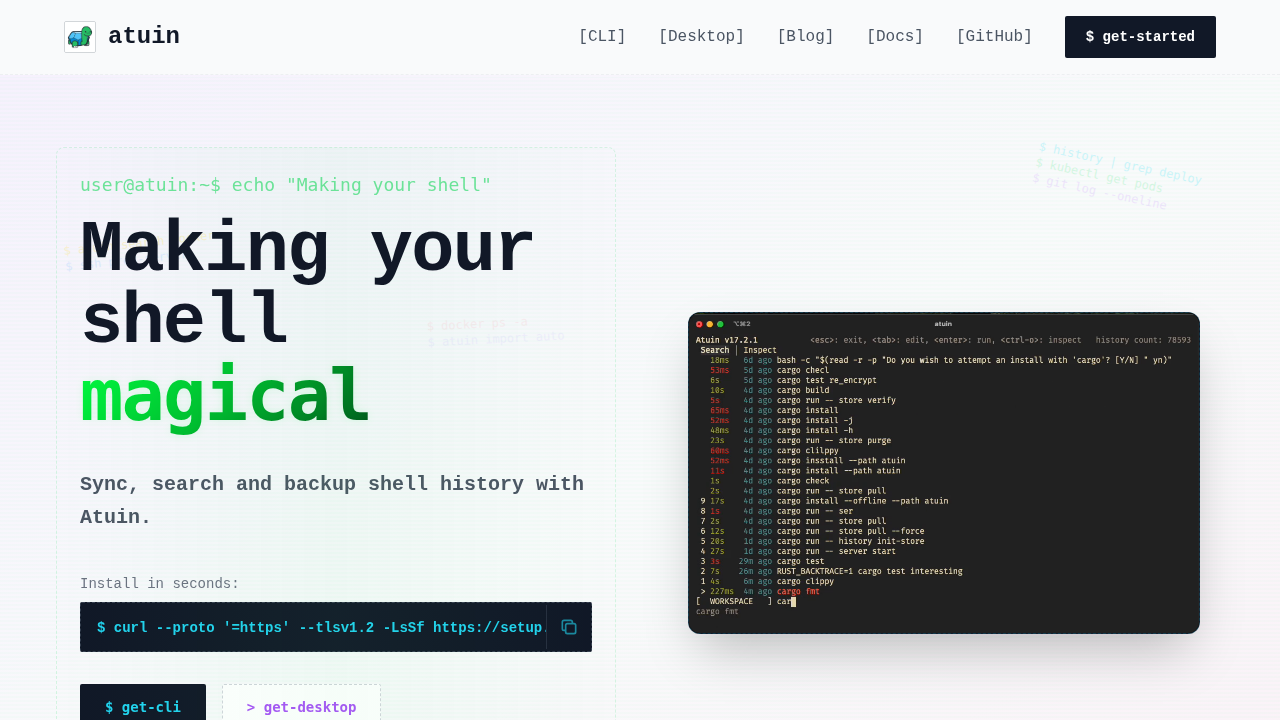
Atuin Screenshots & Demo
What is Atuin
Atuin replaces your existing shell history with a SQLite database, and syncs it across machines. It provides a powerful search interface, allowing you to quickly find and re-execute commands. Atuin also offers a user-friendly interface for managing and exploring your shell history. It is designed to be fast, efficient, and easy to use, making it a valuable tool for anyone who uses the command line regularly. The project is open-source and actively maintained, with a focus on providing a seamless and intuitive experience for users.
Atuin 's Core features
Enhanced Search
Provides a powerful and intuitive search interface for your shell history, including fuzzy matching and filtering.
Cross-Machine Sync
Synchronizes your shell history across multiple devices, ensuring your command history is always available.
Fast Performance
Utilizes a SQLite database for efficient storage and retrieval of shell history, ensuring quick search results.
User-Friendly Interface
Offers an easy-to-use interface for managing and exploring your shell history, making it simple to find and reuse commands.
Customizable
Allows customization of keybindings and other settings to fit your workflow.
Open Source
The project is open-source, allowing for community contributions and transparency.
How to use Atuin
Install Atuin using your preferred package manager (e.g., brew install atuin).,Initialize Atuin by running atuin init in your shell.,Start syncing your history with atuin sync (optional, for cross-machine sync).,Use Ctrl+R (or your configured keybinding) to search your history.,Explore history with atuin search for advanced filtering.
Use cases of Atuin
Finding Past Commands
Quickly locate and re-execute commands you've used before, saving time and effort.
Cross-Device History
Sync your shell history across multiple devices, so you can access your command history from anywhere.
Command Discovery
Discover and learn new commands by exploring your past usage and the commands of others (if sharing).
Who benefits from Atuin
Developers
Developers who frequently use the command line and need to quickly find and reuse commands.
System Administrators
System administrators who manage multiple servers and need to track and share command history.
Pricing of Atuin
Atuin is completely free and open-source.