highlight.js
JavaScript syntax highlighter.
Free
Support platforms
web
What is highlight.js
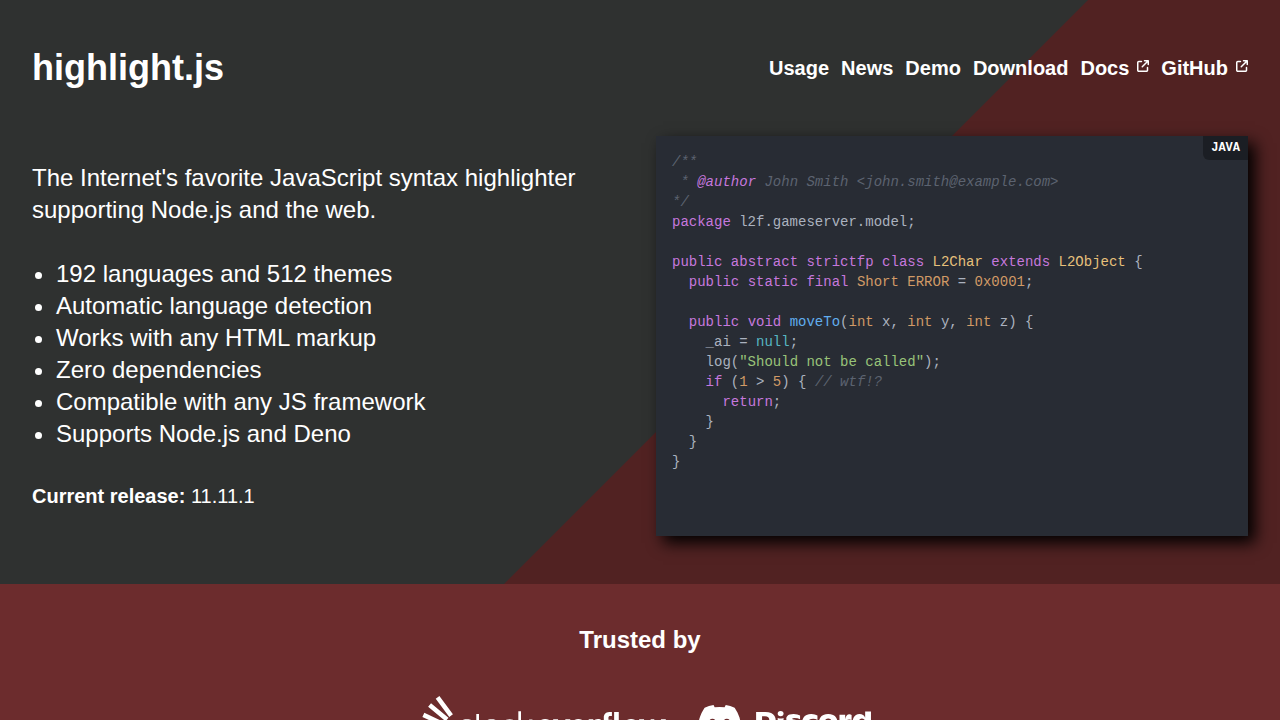
highlight.js is a JavaScript library designed for syntax highlighting on the web and in Node.js environments. It automatically detects the programming language of code snippets and applies appropriate styling, making code more readable and visually appealing. Unlike some alternatives that require complex configuration, highlight.js offers automatic language detection and works with any HTML markup, minimizing setup time. It supports 192 languages and 512 themes, ensuring broad compatibility and customization options. Developers, bloggers, and documentation writers benefit from its ease of use and ability to enhance code presentation without extensive manual formatting.
highlight.js 's Core features
Automatic Language Detection
highlight.js intelligently detects the programming language of code snippets, eliminating the need for manual language specification in many cases. This is achieved through a combination of regular expressions and keyword analysis, providing accurate language identification for a wide range of programming languages. This feature significantly reduces the effort required to integrate syntax highlighting.
192 Languages Supported
Offers extensive support for a vast array of programming languages, ensuring compatibility with virtually any code you need to display. This broad language coverage is a key differentiator, as it caters to diverse development needs, from common languages like JavaScript and Python to more specialized ones. The library's modular design allows for selective loading of languages to optimize bundle size.
Zero Dependencies
Operates without external dependencies, simplifying integration and reducing the risk of conflicts with other libraries. This design choice makes it easy to include highlight.js in any project, regardless of the existing technology stack. The absence of dependencies also contributes to faster loading times and improved performance.
Works with Any HTML Markup
Designed to seamlessly integrate with existing HTML structures, requiring minimal changes to your existing code. This flexibility allows for easy implementation across various platforms and content management systems. The library intelligently parses and styles code within `<pre><code>` tags, making it straightforward to apply syntax highlighting.
Node.js and Web Support
Provides versatile usage options, functioning both in web browsers and Node.js environments. This dual compatibility allows developers to use highlight.js for both client-side and server-side code highlighting, supporting a wide range of use cases, from documentation generation to code editors. The library can be imported using `require` or ES6 `import` syntax.
How to use highlight.js
- Include the highlight.js library in your project via CDN, self-hosting, or package manager (npm/yarn).,2. Choose a theme by linking the corresponding CSS file from the 'styles' directory (e.g., 'default.min.css').,3. For automatic language detection, wrap your code snippets in
<pre><code>tags.,4. Initialize highlighting by callinghljs.highlightAll()in your JavaScript, typically after the DOM has loaded.,5. If automatic detection fails, specify the language using theclassattribute in the<code>tag (e.g.,<code class="language-javascript">).,6. For Node.js, install the package via npm and import the library to use it server-side.
Use cases of highlight.js
Blog Post Syntax Highlighting
Bloggers and technical writers use highlight.js to enhance the readability of code snippets within their articles. By automatically highlighting syntax, they make code examples easier to understand, improving the overall user experience and making it easier for readers to follow along with code examples.
Documentation Websites
Developers integrate highlight.js into documentation websites to present code examples in a visually appealing and easy-to-read format. This improves the clarity of the documentation, making it easier for users to understand and implement the code examples provided.
Code Editors and IDEs
Developers can use highlight.js as a foundation for building code editors or integrating syntax highlighting into existing IDEs. This provides a quick and easy way to add syntax highlighting to their applications, improving the coding experience for users.
Online Code Sharing Platforms
Web developers use highlight.js to power syntax highlighting on online code sharing platforms. This allows users to share code snippets with proper formatting, improving the readability and usability of the code shared on the platform.
Who benefits from highlight.js
Web Developers
Web developers benefit from highlight.js by easily integrating syntax highlighting into their websites and web applications. This improves the presentation of code snippets, making them more readable and user-friendly, which is crucial for tutorials, documentation, and code-focused content.
Bloggers and Technical Writers
Bloggers and technical writers use highlight.js to enhance the readability of code examples in their articles. The automatic syntax highlighting improves the visual appeal and clarity of code, making it easier for readers to understand and follow the code examples.
Documentation Authors
Documentation authors leverage highlight.js to create more effective and user-friendly documentation. By highlighting code snippets, they improve the clarity and readability of the documentation, making it easier for users to understand and implement the code examples.
Code Sharing Platforms
Code sharing platforms use highlight.js to provide syntax highlighting for code snippets shared by users. This enhances the user experience by making the code more readable and easier to understand, which is critical for collaborative coding and code review.
Pricing of highlight.js
Open Source (MIT License). Free to use and integrate into any project, commercial or personal.