Dokploy
Effortless App & DB Deployments
Freemium
Support platforms
web
What is Dokploy
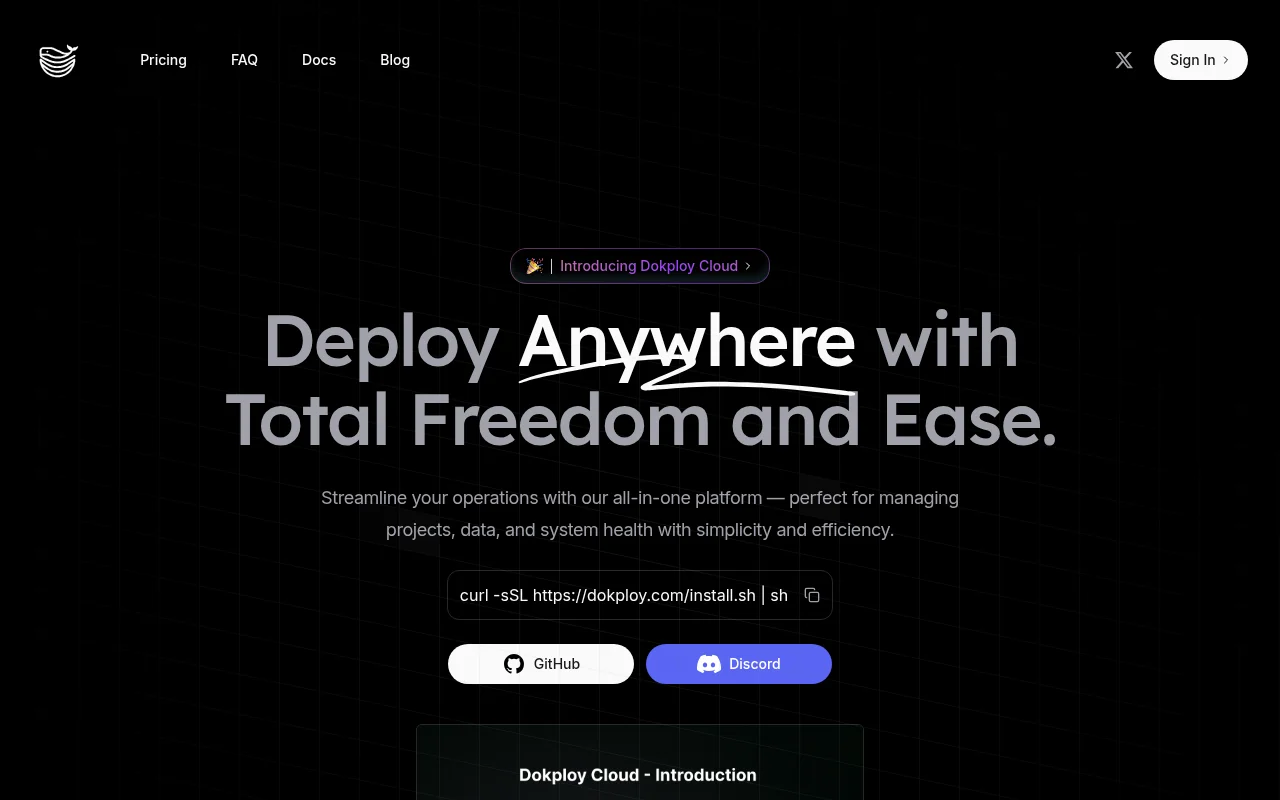
Dokploy simplifies application and database deployments for developers, offering an all-in-one platform for managing containerized applications across multiple servers. It distinguishes itself through native Docker Compose support, multi-server deployment capabilities, and advanced user management with detailed roles and permissions. Dokploy leverages Nixpacks, Heroku Buildpacks, and custom Dockerfiles for flexible application deployment, alongside integrated database management with backups for MySQL, PostgreSQL, MongoDB, MariaDB, and Redis. Built for developers seeking control and flexibility, Dokploy provides API & CLI access, Docker Swarm support, and open-source templates for popular tools. This approach empowers developers to centralize control of their digital ecosystem, ensuring robust monitoring, secure backups, and efficient management without the complexities of traditional deployment methods.
Dokploy 's Core features
Native Docker Compose Support
Dokploy natively supports Docker Compose, enabling the deployment of complex, multi-service applications with ease. This simplifies orchestration and management, allowing developers to define and deploy entire application stacks using a familiar and powerful tool. This contrasts with platforms that require manual configuration or limited Docker support, saving significant time and reducing complexity.
Multi-Server Deployment
Effortlessly deploy applications across multiple remote servers with zero configuration hassle. Dokploy handles the complexities of distributing your application, ensuring high availability and scalability. This feature is particularly valuable for applications requiring geographic distribution or increased capacity, offering a streamlined alternative to manual server setup and configuration.
Advanced User Management
Control user access with detailed roles and permissions, ensuring secure and organized deployments. This feature allows administrators to define specific access levels for different team members, enhancing security and facilitating collaboration. This is a significant improvement over platforms lacking granular control, which can lead to security vulnerabilities and operational inefficiencies.
Database Management & Backups
Manage and back up databases (MySQL, PostgreSQL, MongoDB, MariaDB, Redis) directly from Dokploy. Automated backups protect critical data, and the integrated management simplifies database administration. This feature streamlines database operations, reducing the risk of data loss and minimizing the need for external tools or manual backup processes.
API & CLI Access
Dokploy offers complete API and CLI access, enabling custom functionality and automation. This allows developers to integrate Dokploy into their existing workflows and build custom solutions tailored to their specific needs. This flexibility is crucial for teams seeking to automate deployment processes or integrate Dokploy with other tools.
Real-time Monitoring & Alerts
Monitor CPU, memory, and network usage in real-time across your deployments for full visibility. Receive alerts based on predefined thresholds to proactively address performance issues. This feature provides critical insights into application health and performance, enabling rapid troubleshooting and ensuring optimal uptime.
How to use Dokploy
- Install Dokploy using the provided installation script:
curl -sSL https://dokploy.com/install.sh | sh.,2. Sign in to your Dokploy account or create a new one through the web interface.,3. Connect your servers by providing the necessary SSH credentials within the Dokploy dashboard.,4. Deploy your application by selecting your preferred deployment method: Nixpacks, Heroku Buildpacks, or a custom Dockerfile.,5. Configure your application's environment variables, ports, and other settings within the Dokploy interface.,6. Monitor your application's performance and logs in real-time through the Dokploy dashboard.
Use cases of Dokploy
Deploying a Web Application
A development team uses Dokploy to deploy a containerized web application. They utilize Docker Compose to define the application's services (web server, database, caching). Dokploy handles the deployment to multiple servers, manages the database, and provides real-time monitoring, ensuring high availability and efficient resource utilization.
Managing a Database-Driven Application
A startup uses Dokploy to deploy and manage a database-driven application. They leverage Dokploy's database management features to handle backups, updates, and monitoring of their MySQL database. This simplifies database administration and ensures data security, allowing the team to focus on application development.
Deploying a Microservices Architecture
An engineering team uses Dokploy to deploy a microservices architecture. They use Docker Swarm to orchestrate the services across multiple servers. Dokploy's multi-server support and monitoring capabilities provide the visibility and control needed to manage a complex, distributed system.
Automated Deployment Pipeline
A DevOps engineer integrates Dokploy into their CI/CD pipeline. They use the API and CLI to automate deployments, updates, and rollbacks. This streamlines the deployment process, reduces manual intervention, and ensures consistent and reliable deployments across environments.
Who benefits from Dokploy
Software Developers
Developers benefit from Dokploy's ease of use and developer-focused features, such as Docker Compose support and API access. It simplifies deployment and management, allowing developers to focus on writing code rather than infrastructure configuration.
DevOps Engineers
DevOps engineers can leverage Dokploy to automate deployments, manage infrastructure, and monitor application performance. The API and CLI access enable integration with existing CI/CD pipelines and infrastructure management tools.
Small to Medium-Sized Businesses (SMBs)
SMBs can use Dokploy to deploy and manage their applications and databases without the complexity and cost of traditional deployment solutions. The platform's ease of use and integrated features make it ideal for teams with limited DevOps expertise.
Freelancers and Independent Developers
Freelancers and independent developers can use Dokploy to quickly deploy and manage their projects. The platform's simplicity and cost-effectiveness make it a great choice for individual developers or small teams.
Pricing of Dokploy
Dokploy offers a free tier with limited resources. Paid plans provide increased resources, advanced features, and support. Pricing details are available on the Dokploy website. Open-source core with self-hosting capabilities.