Axios
Promise-based HTTP client
Free
Support platforms
web
What is Axios
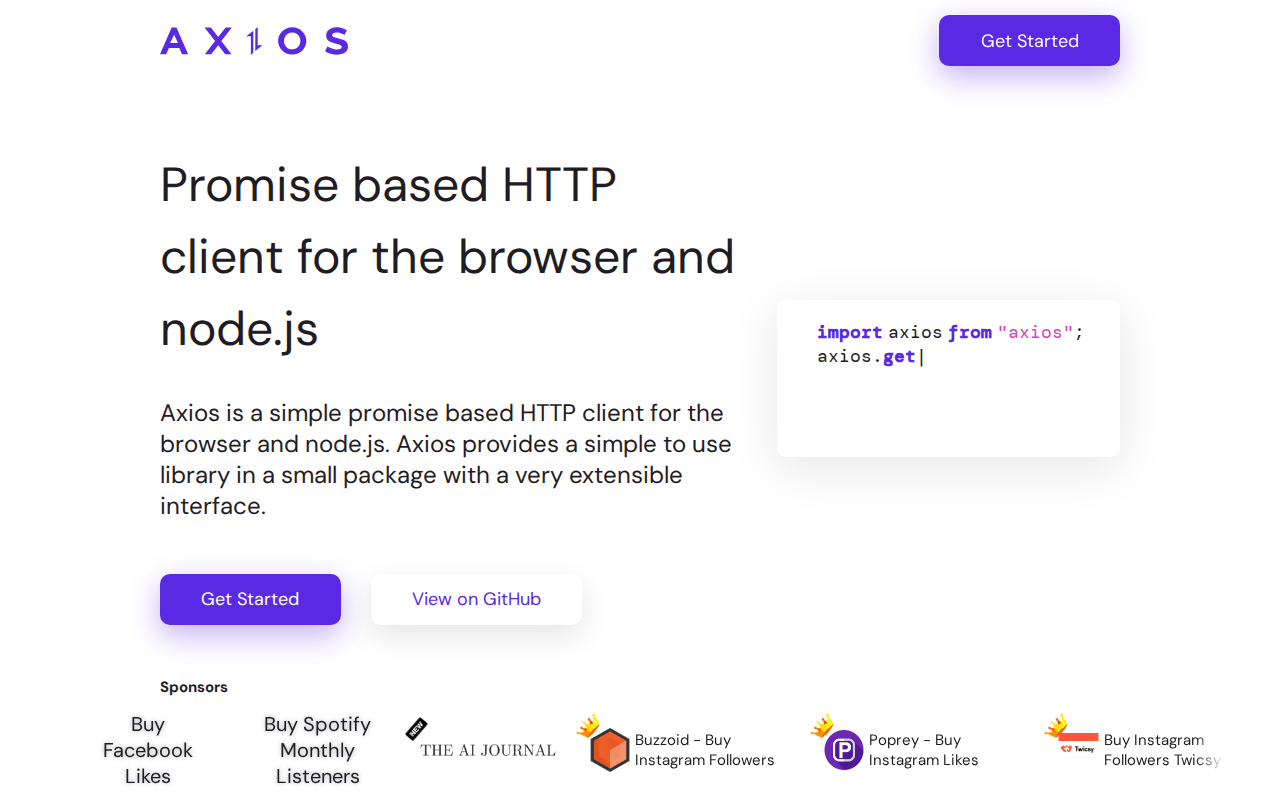
Axios is a popular, promise-based HTTP client for both browsers and Node.js, designed to simplify making HTTP requests. Its core value proposition lies in its ease of use and extensibility, offering a streamlined approach to handling asynchronous HTTP communication. Unlike the native fetch API, Axios provides features like automatic JSON transformation, request and response interception, and built-in support for older browsers. It leverages JavaScript's Promise API for asynchronous operations, making code cleaner and more readable. Developers benefit from its intuitive API, robust error handling, and broad community support, making it a go-to choice for building web applications and APIs.
Axios 's Core features
Promise-based API
Axios utilizes JavaScript's `Promise` API, enabling cleaner and more readable asynchronous code compared to callback-based approaches. This allows for easier chaining of requests and error handling using `.then()` and `.catch()`, improving code maintainability and reducing the 'callback hell' problem. This also allows for easier integration with async/await syntax.
Request & Response Interceptors
Interceptors allow you to intercept and modify requests before they are sent and responses before they are handled. This is useful for tasks such as adding authentication headers, logging requests, or transforming data. For example, you can add a global authorization header using `axios.interceptors.request.use(config => { config.headers.Authorization = 'Bearer YOUR_TOKEN'; return config; });`
Automatic JSON Transformation
Axios automatically transforms JSON data in both requests and responses. When sending data, it automatically serializes JavaScript objects to JSON. When receiving data, it automatically parses the JSON response into a JavaScript object. This simplifies data handling, eliminating the need for manual parsing and stringification in most cases.
Browser and Node.js Support
Axios works seamlessly in both browser and Node.js environments, providing a consistent API across different platforms. This allows developers to reuse the same code for both front-end and back-end HTTP requests, reducing development time and effort. It abstracts away the differences between `XMLHttpRequest` and the `http` module.
Request Cancellation
Axios allows you to cancel requests using a `CancelToken`. This is useful for scenarios where a request is no longer needed, such as when a user navigates away from a page or a timeout occurs. You create a `CancelToken` and pass it to the request configuration. You can then cancel the request using the `cancel()` method on the token.
Built-in XSRF Protection
Axios provides built-in support for Cross-Site Request Forgery (XSRF) protection. It automatically sets the `X-XSRF-TOKEN` header when making requests to the same origin, helping to mitigate XSRF attacks. This feature simplifies the implementation of secure web applications by providing a default level of protection against common security vulnerabilities.
How to use Axios
- Include Axios in your project: Install via npm or yarn:
npm install axiosoryarn add axios.,2. Import Axios: In your JavaScript file, import Axios:import axios from 'axios';,3. Make a GET request: Useaxios.get('your_api_endpoint')to retrieve data. Handle the response with.then()and.catch().,4. Make a POST request: Useaxios.post('your_api_endpoint', { data: yourData })to send data. The second argument is the data payload.,5. Handle responses: Access data viaresponse.data, status code viaresponse.status, and headers viaresponse.headers.,6. Implement error handling: Use.catch()to handle errors. Access error details viaerror.response(for server errors) orerror.message(for network errors).
Use cases of Axios
Fetching Data in Web Apps
Web developers use Axios to retrieve data from APIs in their web applications. For example, a developer building a weather app would use Axios to fetch weather data from a weather API, parse the JSON response, and display the information on the user interface. This is a core function of many modern web applications.
Making API Calls in Node.js
Backend developers use Axios in Node.js applications to interact with external APIs. A developer creating a server-side application might use Axios to send data to a payment gateway API or retrieve data from a third-party service. This enables server-side logic to communicate with other services.
Handling Form Submissions
Front-end developers use Axios to submit form data to APIs. For instance, a developer building a contact form on a website would use Axios to send the form data to a server-side endpoint. Axios handles the serialization of the form data and the sending of the HTTP request.
Implementing Authentication
Developers use Axios to handle authentication flows, such as logging users in or refreshing access tokens. A developer might use Axios to send login credentials to an authentication API and store the returned token for subsequent requests. Interceptors can be used to automatically add the token to every request.
Who benefits from Axios
Front-End Developers
Front-end developers benefit from Axios's ease of use and browser compatibility. It simplifies making HTTP requests, handling responses, and integrating with APIs, making it easier to build dynamic and interactive web applications that fetch and display data from external sources.
Back-End Developers
Back-end developers use Axios in Node.js environments to make HTTP requests to other APIs or services. This allows them to build server-side applications that interact with external resources, handle data exchange, and integrate with various third-party services.
Full-Stack Developers
Full-stack developers leverage Axios for both front-end and back-end development. They can use the same library and API for making HTTP requests in both environments, streamlining their workflow and reducing the learning curve for handling API interactions across the entire application stack.
API Integrators
Developers who need to integrate with various APIs find Axios invaluable. Its features like request/response interceptors, automatic JSON transformation, and promise-based API make it easier to handle different API formats, authentication methods, and error handling, simplifying the integration process.
Pricing of Axios
Open Source (MIT License). Free to use.