Verdict
Best for 12-Factor App Development
direnv is a shell extension that automatically loads and unloads environment variables based on the current directory
Best for
Developers
DevOps Engineers
Key Features
Automatic Environment Loading
Shell Integration
Project-Specific Configuration
Actions
Share
direnv Screenshots & Demo
What is direnv
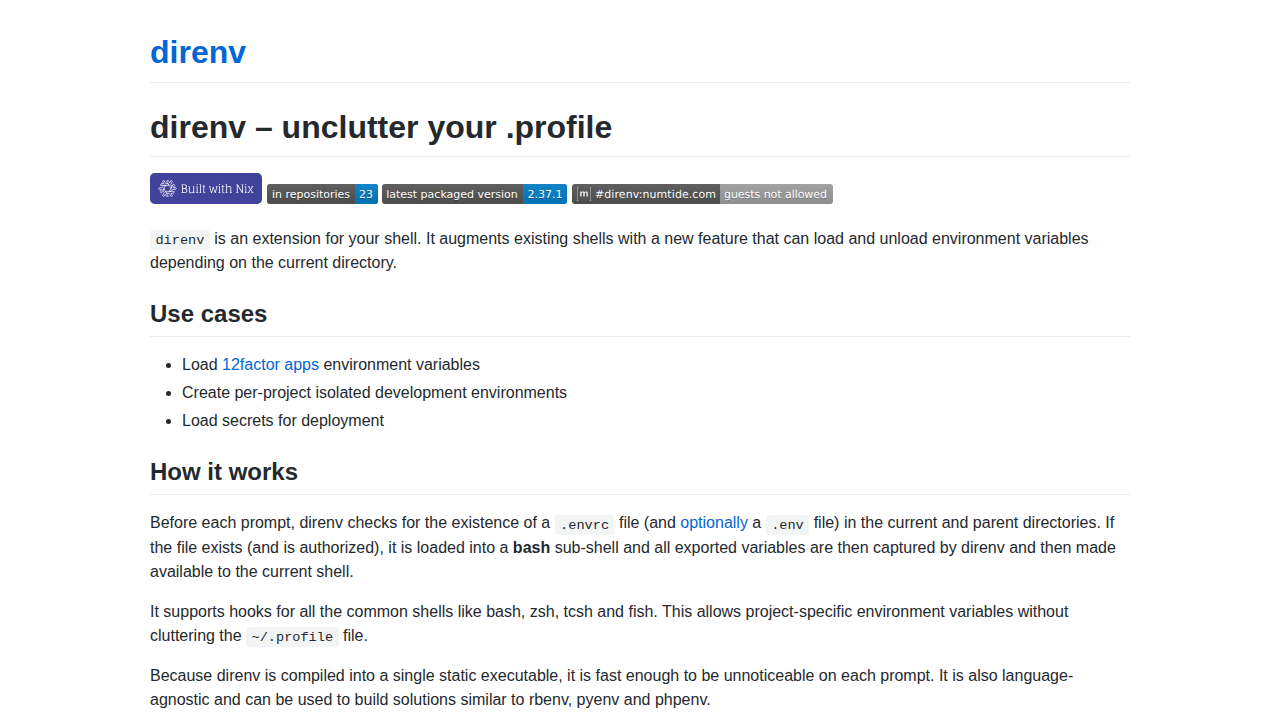
direnv is a shell extension that automatically loads and unloads environment variables based on the current directory. It simplifies environment management by reading a .envrc file (and optionally .env) in the project directory. This file contains shell commands that set environment variables. direnv integrates with various shells like bash, zsh, tcsh, and fish. It's designed to be fast and unobtrusive, making it ideal for managing project-specific configurations without cluttering your shell profile. It supports hooks for all common shells and is language-agnostic, suitable for building solutions similar to rbenv, pyenv, and phpenv. direnv is a single static executable, ensuring minimal performance impact.
direnv 's Core features
Automatic Environment Loading
Loads and unloads environment variables based on directory changes.
Shell Integration
Supports bash, zsh, tcsh, fish, and other shells.
Project-Specific Configuration
Allows for per-project environment settings.
Security
Requires explicit authorization for `.envrc` files.
Fast Performance
Compiled into a single static executable for speed.
Language Agnostic
Can be used with any programming language or project.
How to use direnv
Install direnv on your system (package managers are available).,Hook direnv into your shell (instructions vary by shell).,Navigate to your project directory.,Create a .envrc file in your project root.,Add environment variable export commands to .envrc (e.g., export MY_VARIABLE=value).,Run direnv allow in the project directory to authorize the .envrc file.
Use cases of direnv
12-Factor App Development
Easily manage environment variables required by 12-factor applications.
Isolated Development Environments
Create project-specific environments to avoid conflicts.
Secret Management
Load sensitive information (API keys, passwords) securely.
Deployment Configuration
Configure environment variables for different deployment stages.
Who benefits from direnv
Developers
Software developers who need to manage environment variables for their projects.
DevOps Engineers
Engineers who need to manage and automate environment configuration.
Pricing of direnv
direnv is open-source and free to use.