Excalidraw Whiteboard
Collaborative Whiteboard & Diagrams
Free
Support platforms
web
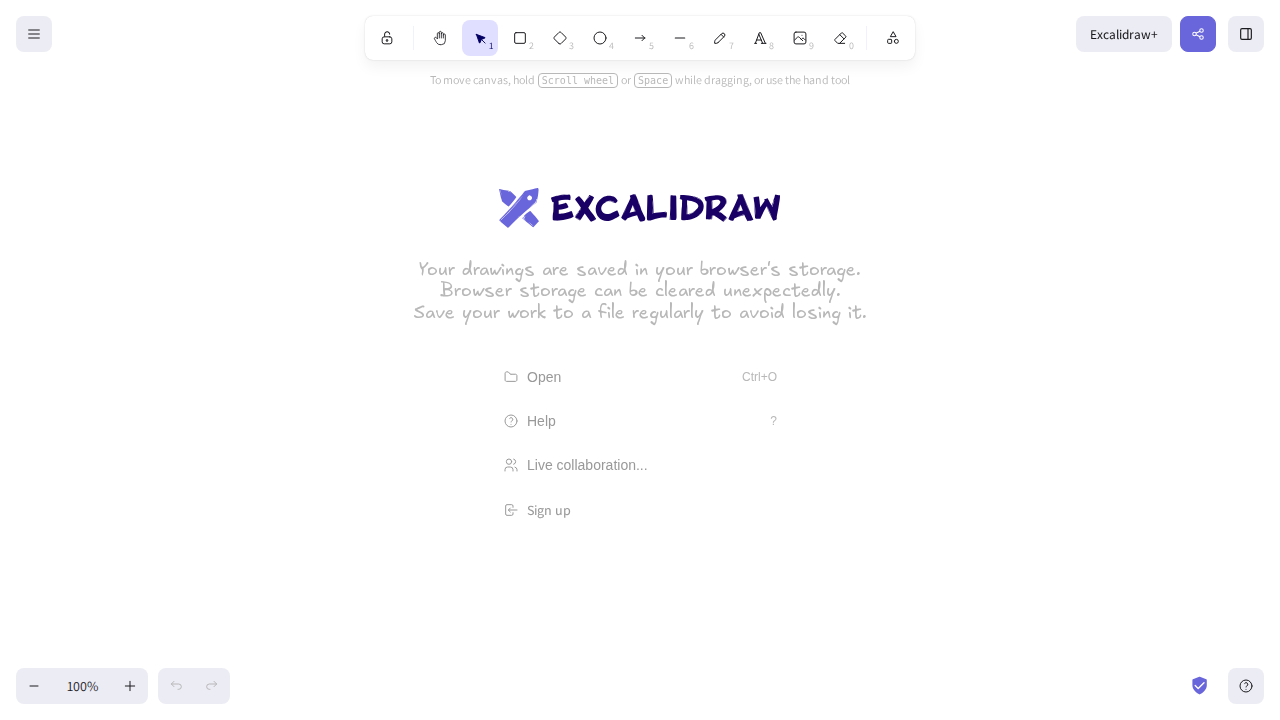
What is Excalidraw Whiteboard
Excalidraw is a web-based, open-source whiteboard tool for sketching hand-drawn-like diagrams. It focuses on simplicity and ease of use, allowing users to quickly create and share visual representations of ideas, workflows, and concepts. Unlike traditional diagramming tools that prioritize precision, Excalidraw embraces a more informal, free-form style, making it ideal for brainstorming, collaborative design, and visual note-taking. It differentiates itself through its intuitive interface, real-time collaboration features, and the ability to export diagrams in various formats, including SVG and PNG. It's built using JavaScript, HTML, and CSS, and benefits users who need a quick, collaborative, and visually appealing way to communicate ideas.
Excalidraw Whiteboard 's Core features
Real-time Collaboration
Enables multiple users to simultaneously work on the same whiteboard in real-time. Changes made by one user are instantly reflected for all others, facilitating seamless collaboration and brainstorming sessions. This feature utilizes WebSockets for efficient data synchronization, ensuring minimal latency and a responsive collaborative experience. The platform supports up to 50 concurrent users per session, based on internal testing.
Hand-drawn Style Rendering
Employs a unique rendering engine that simulates a hand-drawn aesthetic, giving diagrams a more informal and approachable look. This is achieved through randomized line variations, imperfect shape outlines, and a selection of fonts that mimic handwriting. This approach encourages creativity and reduces the pressure for perfect precision, making it ideal for early-stage design and ideation.
Offline Functionality
Allows users to continue working on their whiteboards even without an internet connection. Changes are automatically saved locally and synchronized with the cloud when the connection is restored. This is achieved using the browser's local storage capabilities, ensuring data persistence and accessibility. The platform stores up to 100MB of data locally.
Shape and Connector Tools
Offers a comprehensive set of tools for creating various shapes (rectangles, circles, arrows, etc.) and connectors to build diagrams. These tools support snapping and alignment features to help users create organized and visually appealing diagrams. The connector tool supports different styles, including straight lines, curved lines, and elbow connectors, enhancing the flexibility of diagram creation.
Export and Import Options
Provides multiple export options, including SVG, PNG, and JSON, allowing users to share and integrate their diagrams into other applications. Users can also import diagrams from JSON files, enabling them to back up their work and reuse it later. The SVG export option preserves vector graphics, ensuring high-quality visuals regardless of scaling.
Library and Templates
Includes a library of pre-made elements and templates to accelerate the diagramming process. Users can import and reuse these elements, saving time and effort. The library supports importing custom elements and templates, allowing users to create and share their own reusable assets. The platform supports importing up to 500 elements per library.
How to use Excalidraw Whiteboard
- Navigate to excalidraw.com and click 'Start Drawing' to begin a new whiteboard session.,2. Use the toolbar on the left to select drawing tools such as pen, shapes, text, and connectors.,3. Draw and add elements to your whiteboard by clicking and dragging with your mouse or using touch input.,4. Invite collaborators by sharing the unique URL generated for your whiteboard session.,5. Utilize the 'Export' feature to save your diagram as an SVG, PNG, or other supported formats.,6. Explore the library feature to import and reuse pre-made elements and diagrams.
Use cases of Excalidraw Whiteboard
Brainstorming Sessions
Teams use Excalidraw to visually capture ideas and concepts during brainstorming meetings. Participants can quickly sketch diagrams, add notes, and connect ideas in real-time, fostering a collaborative and dynamic environment. This is especially useful for remote teams using video conferencing tools.
Software Architecture Design
Software architects and developers use Excalidraw to sketch out system architectures, data flows, and component interactions. The hand-drawn style helps to focus on the overall design rather than getting bogged down in precise details early in the process. They can share the diagrams with stakeholders for feedback.
Educational Purposes
Teachers and students use Excalidraw to create visual aids for lessons, explain complex concepts, and take notes. The tool's simplicity and collaborative features make it ideal for interactive learning environments, allowing students to actively participate in the creation of diagrams.
Project Planning and Management
Project managers use Excalidraw to create visual representations of project timelines, workflows, and task dependencies. The tool's ease of use allows them to quickly create and update project plans, share them with team members, and track progress visually.
Who benefits from Excalidraw Whiteboard
Software Developers & Architects
Developers and architects need a quick and easy way to visualize system designs, data flows, and component interactions. Excalidraw's informal style and collaborative features help them communicate complex ideas effectively and iterate on designs quickly.
Designers & UX/UI Professionals
Designers and UX/UI professionals use Excalidraw for sketching wireframes, user flows, and interface mockups. The tool's hand-drawn aesthetic encourages rapid prototyping and allows for a more informal and iterative design process.
Educators & Students
Educators and students need a simple and engaging tool for creating visual aids, explaining concepts, and taking notes. Excalidraw's collaborative features and ease of use make it ideal for interactive learning and brainstorming sessions.
Project Managers & Team Leaders
Project managers and team leaders use Excalidraw to create visual project plans, timelines, and workflows. The tool's simplicity and collaborative features help them communicate project details effectively and track progress visually.
Pricing of Excalidraw Whiteboard
Excalidraw is free and open-source, licensed under the MIT License. It is available as a web application with no paid plans.