Neovim
Extensible Vim-based text editor
Free
Support platforms
web
What is Neovim
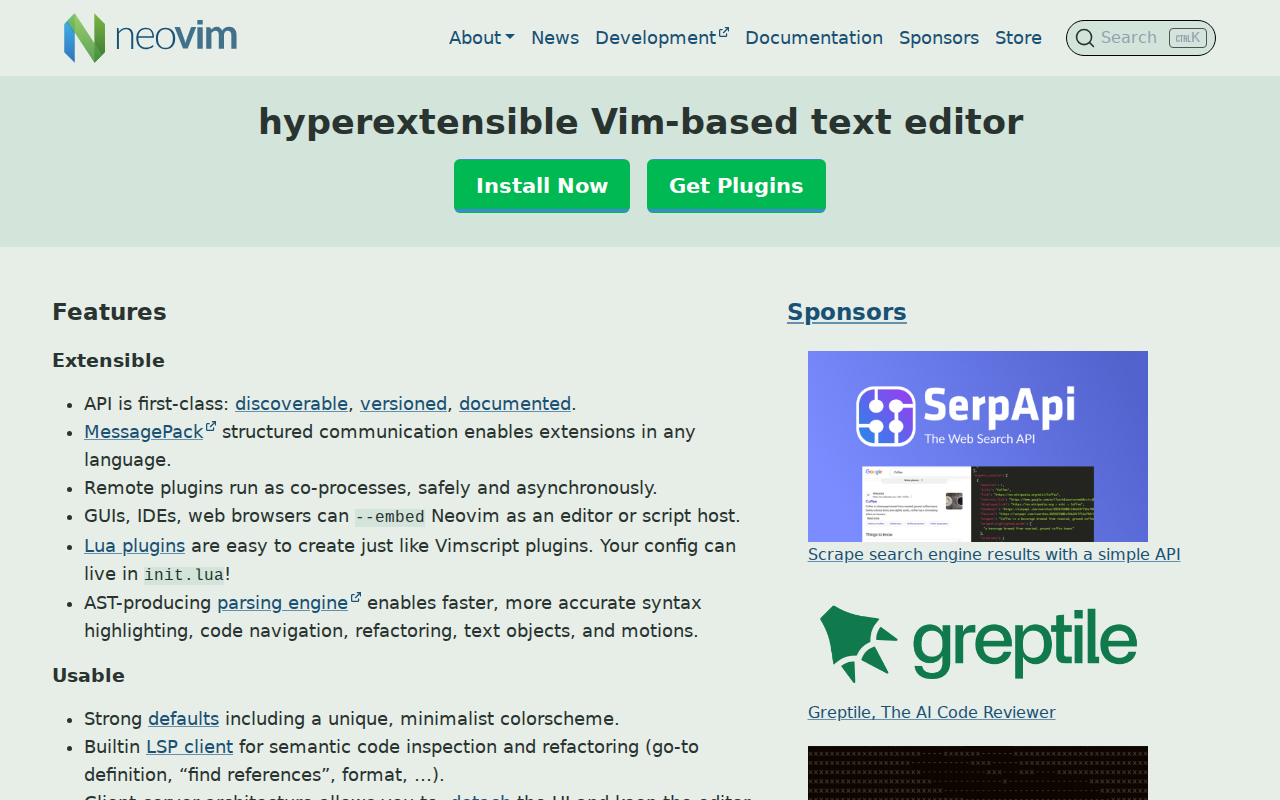
Neovim is a modern, highly extensible text editor based on Vim, designed for developers seeking a powerful and customizable coding environment. It offers a streamlined architecture with a focus on extensibility through a first-class API, enabling developers to create plugins in any language. Unlike traditional Vim, Neovim features a client-server architecture, allowing for detached UIs and multiple UI connections. Its built-in LSP client, modern terminal features, and strong defaults provide a superior editing experience. Neovim's compatibility with Vim's editing model and Vimscript ensures a smooth transition for existing Vim users. Developers, system administrators, and anyone who spends a significant amount of time in a text editor will benefit from Neovim's flexibility and efficiency.
Neovim 's Core features
Extensible API
Neovim's API is first-class, discoverable, versioned, and documented, enabling extensions in any language. This allows developers to create plugins using their preferred programming languages, such as Python, JavaScript, or Go. Remote plugins run as co-processes, ensuring safety and asynchronous operation, which prevents blocking the main editor process. This architecture allows for a wide range of integrations and customizations.
Built-in LSP Client
Neovim includes a built-in Language Server Protocol (LSP) client, providing semantic code inspection and refactoring capabilities. This includes features like go-to-definition, find references, format, and more. The LSP client enhances the coding experience by providing intelligent code completion, error checking, and code navigation, improving developer productivity and code quality.
Client-Server Architecture
The client-server architecture allows users to detach the UI and keep the editor session running, similar to `tmux`. This enables users to connect multiple UIs to the same Neovim session, allowing for flexible workflows. This feature is particularly useful for remote development or when working with multiple displays or terminals.
Lua Plugin Support
Neovim natively supports Lua for plugin development, making it easy to create custom extensions. Lua plugins can be created similarly to Vimscript plugins, providing a modern and efficient way to extend Neovim's functionality. This allows developers to leverage Lua's performance and flexibility for complex plugin logic and integrations.
Modern Terminal Features
Neovim supports modern terminal features such as cursor styling, focus events, and bracketed paste. The built-in `:terminal` command sets the standard for 'TTY as a basic component'. These features enhance the terminal-based editing experience, providing a more responsive and feature-rich environment for developers working directly in the terminal.
Vim Compatibility
Neovim is fully compatible with Vim's editing model and Vimscript v1. This ensures a smooth transition for existing Vim users, allowing them to leverage their existing knowledge and configurations. Users can start with `:help nvim-from-vim` to learn about the differences and similarities, and continue using their preferred Vim workflows.
How to use Neovim
- Download the appropriate binary for your operating system from the Neovim releases page (https://github.com/neovim/neovim/releases).,2. Install Neovim by extracting the downloaded archive and placing the executable in a directory included in your system's PATH environment variable.,3. Open your terminal and type
nvimto launch Neovim. You can also open a specific file by typingnvim <filename>.,4. Customize Neovim by creating a configuration file (init.lua) in your configuration directory (e.g., ~/.config/nvim/init.lua).,5. Install plugins using a plugin manager likevim-plugorpacker.nvim. Add plugin declarations to your configuration file and run the plugin manager's install command.,6. Explore Neovim's features by using the built-in help system (:help) and experimenting with different commands and configurations.
Use cases of Neovim
Software Development
Developers use Neovim as their primary code editor. They write code in various languages, leveraging features like LSP for code completion, error checking, and refactoring. They customize the editor with plugins to enhance their workflow, such as integrating with version control systems or automating repetitive tasks.
System Administration
System administrators use Neovim to edit configuration files, manage servers, and troubleshoot issues directly on remote machines. They benefit from the editor's lightweight nature, remote editing capabilities, and the ability to quickly navigate and modify text files via the terminal.
Writing and Note-Taking
Writers and note-takers use Neovim for its distraction-free environment and powerful text manipulation features. They can create custom workflows for formatting, organizing, and exporting their content, taking advantage of the editor's flexibility and extensibility.
Plugin Development
Plugin developers extend Neovim's functionality by creating custom plugins using Lua or other supported languages. They can integrate with external tools, automate tasks, and create new features to enhance the editor's capabilities for specific use cases or workflows.
Who benefits from Neovim
Software Developers
Developers benefit from Neovim's extensibility, LSP integration, and efficient editing capabilities. It provides a customizable and powerful environment for writing, debugging, and refactoring code, improving productivity and code quality.
System Administrators
System administrators can use Neovim for remote server management and configuration file editing. Its lightweight nature and terminal-based interface make it ideal for working directly on servers and quickly making changes.
Experienced Vim Users
Existing Vim users can transition to Neovim to take advantage of its modern architecture, improved performance, and enhanced features. The compatibility with Vimscript and the familiar editing model make the transition seamless.
Plugin Developers
Plugin developers can leverage Neovim's first-class API and Lua support to create custom extensions. They can build new features, integrate with external tools, and tailor the editor to specific workflows.
Pricing of Neovim
Neovim is open-source and available under the Apache 2.0 License. It is free to use, modify, and distribute.