SVGStud.io
AI-Powered SVG Generation & Editing
Freemium
Support platforms
web
What is SVGStud.io
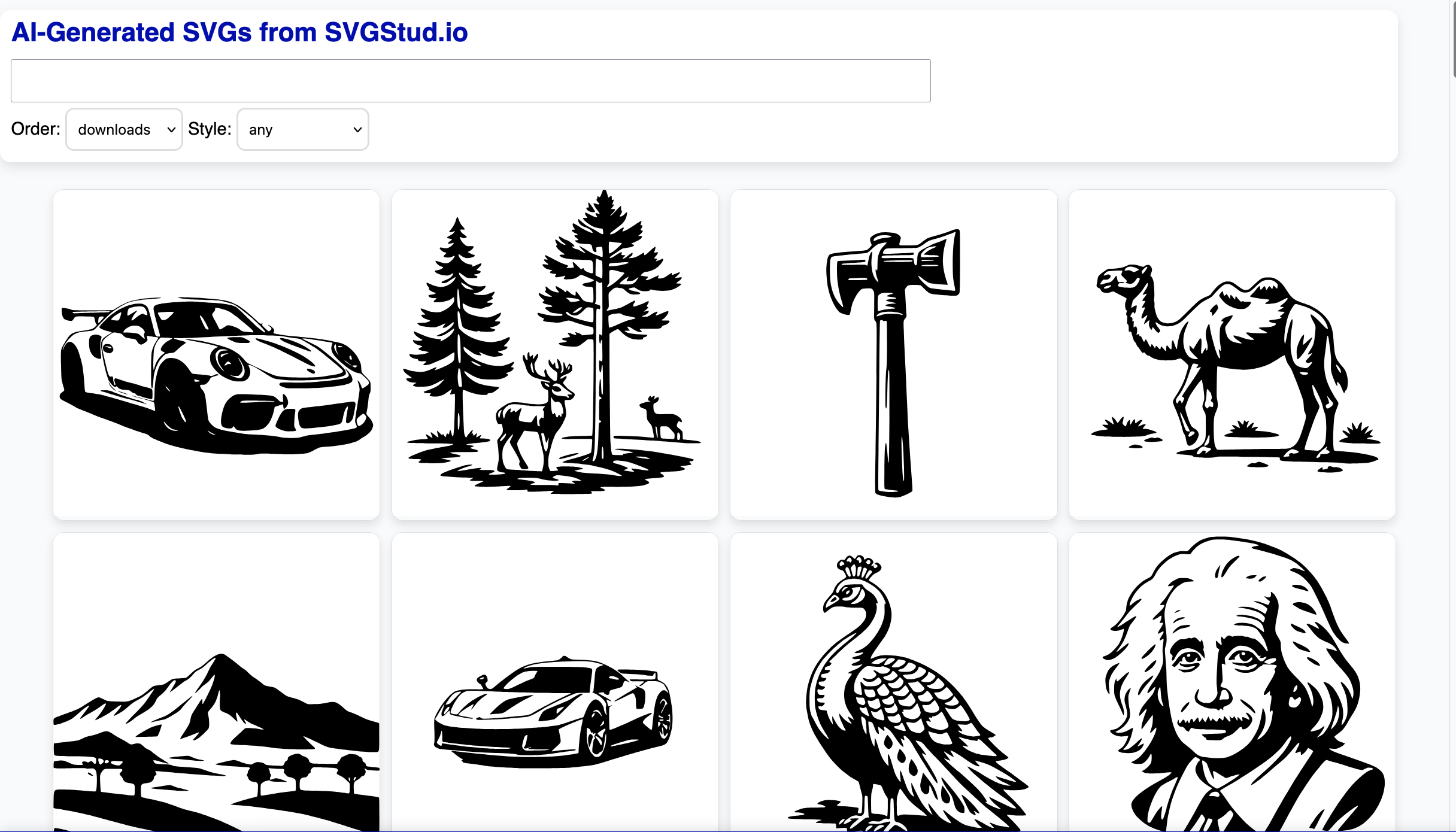
SVGStud.io is an AI-driven platform for generating, editing, and exploring Scalable Vector Graphics (SVGs). It empowers users to create custom SVGs from text prompts, modify existing designs, and browse a vast library of over 100,000 SVG assets. Unlike traditional vector editors that require manual drawing, SVGStud.io leverages AI to automate the design process, allowing users to quickly generate unique graphics in various styles. The platform's semantic search capabilities enable users to find specific SVG designs efficiently. It caters to designers, marketers, developers, and anyone needing high-quality, customizable vector graphics without extensive design skills. The core technology uses a combination of natural language processing for prompt interpretation and generative AI models to create and refine SVG designs, offering a streamlined workflow for SVG creation and modification.
SVGStud.io 's Core features
AI-Powered SVG Generation
Generates SVGs from text prompts using advanced AI algorithms. This feature allows users to quickly create unique graphics without manual drawing. The AI analyzes the prompt, interprets the desired design, and generates a corresponding SVG. This significantly reduces the time and effort required for creating custom vector graphics compared to traditional methods. The platform supports various styles and customization options to refine the generated designs.
Semantic Search for SVGs
Enables users to search for SVGs using natural language queries, going beyond keyword-based searches. This feature leverages semantic understanding to find relevant designs based on their meaning and context. Users can search for specific concepts, styles, or themes, making it easier to discover the perfect SVG for their needs. The search index contains over 100,000 designs, providing a vast library of assets.
Live SVG Editing
Provides an in-browser editor for modifying generated or existing SVGs. Users can adjust colors, shapes, sizes, and other attributes in real-time. This feature allows for precise customization and refinement of SVG designs. The editor supports various editing tools and options, enabling users to create the exact graphics they need. Changes are reflected instantly, allowing for rapid iteration and experimentation.
SVG Bundle Downloads
Offers the ability to download SVG bundles, providing collections of related graphics for various use cases. This feature streamlines the process of acquiring multiple SVG assets at once. Bundles are curated around specific themes or categories, saving users time and effort in finding individual designs. The bundles are available in various formats, making them easy to integrate into different projects.
Style and Customization Options
Provides a range of style and customization options for generated SVGs. Users can specify desired styles, such as flat, illustrative, or detailed, and adjust various parameters to fine-tune the appearance of their graphics. This feature allows for creating unique and personalized SVG designs that match specific branding or project requirements. The customization options include color palettes, shape adjustments, and text modifications.
How to use SVGStud.io
- Navigate to SVGStud.io and create a free account to access the platform's features.,2. Use the 'Generate' feature by entering a text prompt describing the desired SVG design (e.g., 'a blue cat with a hat').,3. Review the generated SVG previews and select the one that best matches your requirements.,4. Utilize the built-in editor to customize the selected SVG, adjusting colors, shapes, and other elements.,5. Download the final SVG file in various formats (e.g., SVG, PNG) for use in your projects.
Use cases of SVGStud.io
Marketing Material Creation
Marketing teams can use SVGStud.io to generate custom graphics for social media posts, website banners, and email campaigns. They can create unique illustrations and icons that align with their brand identity, enhancing visual appeal and engagement. This saves time and resources compared to hiring a designer or using generic stock images.
Web Design and Development
Web developers can utilize SVGStud.io to create and customize vector graphics for website elements, such as logos, icons, and illustrations. They can generate scalable graphics that look sharp on any screen size. This improves website performance and visual consistency. The ability to edit and customize SVGs directly within the platform streamlines the design workflow.
Presentation Design
Presenters can leverage SVGStud.io to create visually engaging slides with custom illustrations and graphics. They can generate unique visuals to illustrate concepts and data, making presentations more memorable and impactful. The platform's editing tools allow for easy adaptation of graphics to fit the presentation's theme and style.
Educational Content Creation
Educators can use SVGStud.io to create visual aids for lessons and presentations. They can generate diagrams, charts, and illustrations to explain complex concepts in an accessible way. This enhances student engagement and comprehension. The platform's ease of use allows educators to quickly create custom visuals without requiring advanced design skills.
Who benefits from SVGStud.io
Marketing Professionals
Marketing professionals need visually appealing graphics for campaigns. SVGStud.io helps them create custom SVGs quickly, improving brand consistency and saving on design costs. The AI-powered generation and editing features streamline their workflow.
Web Designers and Developers
Web designers and developers require scalable graphics for websites. SVGStud.io provides a fast way to generate and customize SVG icons, logos, and illustrations, ensuring optimal performance and visual quality across devices. The platform's editing capabilities allow for easy integration into web projects.
Content Creators
Content creators need unique visuals for their content. SVGStud.io enables them to generate custom SVGs for blog posts, social media, and other platforms, enhancing engagement and visual storytelling. The platform's ease of use and AI-powered features make it accessible to non-designers.
Educators
Educators can create visual aids for lessons. SVGStud.io helps them generate diagrams, charts, and illustrations to explain complex concepts in an accessible way, enhancing student engagement and comprehension. The platform's ease of use allows educators to quickly create custom visuals without requiring advanced design skills.
Pricing of SVGStud.io
Free plan available with limited features. Paid plans offer more generation credits, advanced editing tools, and access to premium SVG bundles. Pricing details are not explicitly stated on the landing page, but a freemium model is implied.
More similar tools like SVGStud.io
Midjourney
Midjourney is an independent research lab focused on exploring new mediums of thought and enhancing human creativity through AI.
Dzine
Dzine is a powerful AI image generation tool that allows users to create stunning images with ease.