Microsoft Designer
AI-powered graphic design tool
Freemium
Support platforms
web
What is Microsoft Designer
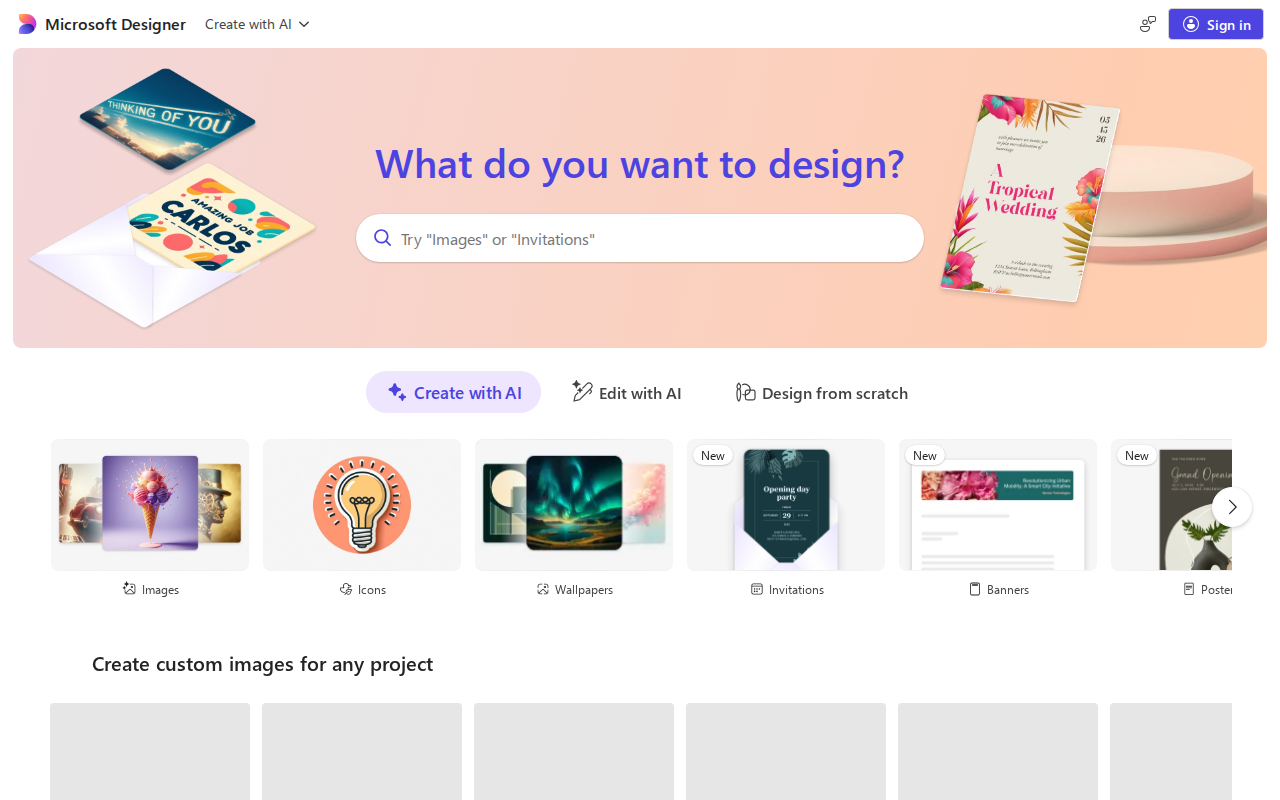
Microsoft Designer is an AI-powered graphic design tool that helps users create stunning visuals quickly and easily. It leverages AI to generate design suggestions, layouts, and content based on user input, such as text prompts or uploaded images. Unlike traditional design software that requires extensive manual effort, Designer automates many design tasks, making it accessible to users with little to no design experience. The tool integrates seamlessly with other Microsoft products, offering a streamlined workflow for creating and sharing designs. It differentiates itself through its ease of use and AI-driven design suggestions, providing a user-friendly experience for creating social media graphics, presentations, and other visual content. The core technology relies on a combination of AI models for image generation, layout suggestions, and content recommendations. It benefits individuals, small businesses, and marketing teams who need to create professional-looking designs without the cost or time commitment of hiring a professional designer.
Microsoft Designer 's Core features
AI-Powered Design Generation
Utilizes advanced AI algorithms to generate design suggestions based on user prompts. This includes suggesting layouts, color palettes, and image recommendations. The AI analyzes the prompt and generates multiple design options, saving users significant time and effort compared to starting from scratch. The system uses a deep learning model trained on millions of design examples to ensure high-quality outputs.
Text-to-Image Creation
Enables users to generate images directly from text descriptions. This feature leverages generative AI models to create unique visuals based on user input. Users can specify details like style, subject, and composition, and the AI will produce corresponding images. This eliminates the need for stock photos or complex image editing, making it ideal for creating custom graphics quickly.
Template Library
Offers a vast library of pre-designed templates across various categories, including social media posts, presentations, and marketing materials. These templates are customizable, allowing users to easily adapt them to their specific needs. The library is regularly updated with new designs, providing users with fresh and relevant options for their projects. Templates are categorized by use case and style.
Easy Customization Tools
Provides intuitive tools for customizing designs, including text editing, image replacement, color adjustments, and layout modifications. The interface is designed to be user-friendly, allowing users to make changes without requiring advanced design skills. Users can easily modify elements, add their branding, and tailor designs to their specific requirements. The platform supports drag-and-drop functionality for ease of use.
Integration with Microsoft Ecosystem
Seamlessly integrates with other Microsoft products, such as PowerPoint, Word, and OneDrive. This allows users to easily incorporate designs into their presentations, documents, and other projects. Users can also save and access their designs from OneDrive, ensuring their work is accessible across devices. The integration streamlines the design workflow and enhances productivity.
Content Suggestions
Offers AI-powered content suggestions, including text and image recommendations, to enhance designs. The AI analyzes the design and provides relevant content options to improve visual appeal and messaging. This feature helps users create more engaging and effective designs by suggesting appropriate elements and content. The suggestions are context-aware, adapting to the design's subject and style.
How to use Microsoft Designer
- Navigate to the Microsoft Designer website and sign in with your Microsoft account.,2. Describe the design you want to create using a text prompt (e.g., "social media post for a summer sale").,3. Designer will generate several design options based on your prompt; browse through the suggestions.,4. Select a design you like and customize it by editing text, changing images, and adjusting colors.,5. Use the 'Resize' feature to adapt your design for different platforms (e.g., Instagram, Facebook, etc.).,6. Download your finished design in various formats (PNG, JPG, etc.) or share it directly to social media.
Use cases of Microsoft Designer
Social Media Graphics
Marketing teams can use Microsoft Designer to quickly create engaging social media posts. They input text prompts describing the content (e.g., "Instagram post for a new product launch"), and the AI generates various design options. This allows them to maintain a consistent brand presence and create visually appealing content without hiring a designer.
Presentation Design
Business professionals can use Designer to create visually appealing presentations. They can input text prompts for slide content, and the AI will generate layouts and design suggestions. This helps them create professional-looking presentations quickly, enhancing their ability to communicate effectively and engage their audience.
Marketing Materials
Small business owners can use Designer to create marketing materials such as flyers, brochures, and email headers. They can input text prompts describing their products or services, and the AI will generate design options. This enables them to create professional-looking marketing materials without the cost of hiring a designer, improving their marketing efforts.
Personal Projects
Individuals can use Designer for personal projects like creating invitations, greeting cards, and social media graphics. They can input text prompts describing their desired design, and the AI will generate various options. This allows them to create personalized designs for various occasions without requiring design skills.
Who benefits from Microsoft Designer
Small Business Owners
Need to create marketing materials but lack the budget for professional designers. Microsoft Designer allows them to create visually appealing content quickly and affordably, improving their marketing efforts and brand presence.
Marketing Professionals
Require a tool to generate quick design iterations and social media content. Designer streamlines their workflow by automating design tasks and providing AI-powered suggestions, allowing them to create more content in less time.
Educators and Students
Need to create presentations, posters, and other visual aids for educational purposes. Designer simplifies the design process, enabling them to create professional-looking materials without requiring extensive design skills or software knowledge.
Individuals
Want to create social media graphics, invitations, and other personal designs. Designer's user-friendly interface and AI-powered features make it easy for anyone to create visually appealing content, regardless of their design experience.
Pricing of Microsoft Designer
Free to use with a Microsoft account. Offers premium features and more advanced capabilities with a Microsoft 365 subscription. Specific pricing details depend on the Microsoft 365 plan.
More similar tools like Microsoft Designer
Midjourney
Midjourney is an independent research lab focused on exploring new mediums of thought and enhancing human creativity through AI.
Dzine
Dzine is a powerful AI image generation tool that allows users to create stunning images with ease.