Sneakpeekit
Printable UI Wireframe Grids
Free
Support platforms
web
What is Sneakpeekit
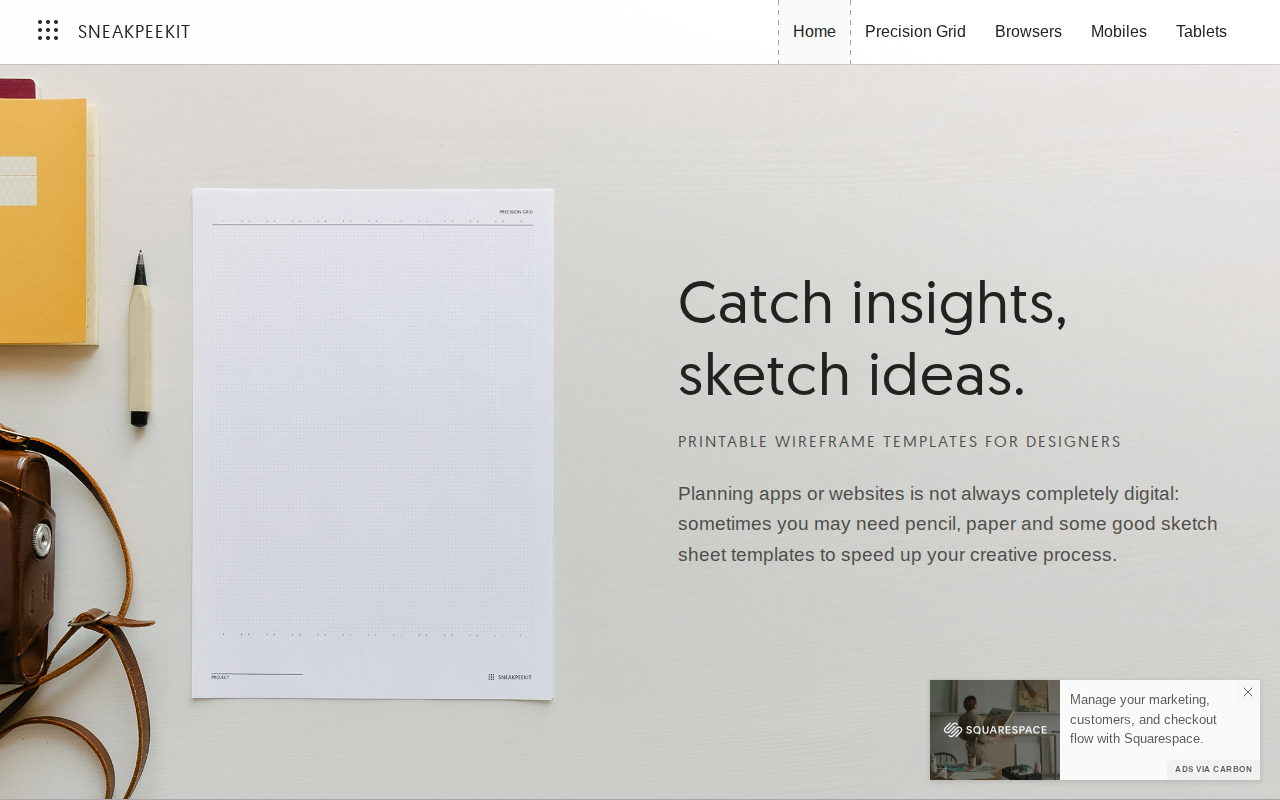
Sneakpeekit provides a specialized collection of high-quality, printable wireframe templates designed for rapid UI/UX prototyping. Unlike digital-only tools that require software overhead, Sneakpeekit focuses on the 'analog-first' design philosophy, allowing designers to iterate on layouts, user flows, and interface hierarchies using pen and paper. The platform offers various grid systems, including browser-based, mobile-specific, and tablet-optimized layouts, ensuring that the physical canvas matches the target device constraints. It is an essential resource for UX researchers, product designers, and students who need to conduct low-fidelity usability testing or brainstorming sessions without the friction of digital design software.
Sneakpeekit 's Core features
Device-Specific Grid Systems
Templates are engineered to match common viewport dimensions, including standard 12-column desktop grids and mobile-specific aspect ratios. This ensures that physical sketches translate accurately to digital design environments like Figma or Sketch, preventing common scaling errors during the transition from low-fidelity to high-fidelity design.
High-Resolution PDF Exports
All templates are provided as vector-based PDFs, ensuring crisp lines and precise measurements regardless of the printer resolution. This high-fidelity output is critical for maintaining consistent line weights during sketching, which helps designers focus on layout structure rather than visual artifacts caused by low-quality printouts.
Optimized Dot Grid Patterns
The inclusion of subtle dot grid patterns provides a non-intrusive guide for drawing UI elements. Unlike rigid graph paper, these dots allow for flexible alignment of buttons, text blocks, and images while maintaining a clean aesthetic that doesn't distract from the actual wireframe content.
Browser-Chrome Templates
These templates include pre-drawn browser UI elements like address bars, navigation buttons, and tab structures. By providing the 'chrome' of the browser, designers save time on repetitive drawing tasks, allowing them to focus entirely on the core content and interaction model of the web page.
Analog-First Design Workflow
By removing the digital barrier, Sneakpeekit facilitates a rapid 'fail-fast' approach. Designers can iterate through dozens of layout variations in minutes, which is significantly faster than creating multiple artboards in complex design software, ultimately leading to better-vetted product requirements before any code is written.
How to use Sneakpeekit
- Navigate to the Sneakpeekit website and browse the template library categorized by device type (e.g., iPhone, iPad, Browser).,2. Select the desired grid density or layout style, such as dot grid, column-based, or blank browser frames.,3. Download the high-resolution PDF file directly to your local machine.,4. Print the PDF using standard A4 or Letter paper settings, ensuring 'Scale to Fit' is disabled for accurate grid proportions.,5. Use the physical printout to sketch wireframes, annotate user flows, or conduct collaborative design workshops.
Use cases of Sneakpeekit
Rapid Ideation Workshops
Product teams use these templates during collaborative brainstorming sessions to sketch multiple UI concepts simultaneously. This physical approach encourages participation from non-designers and helps the team converge on a unified layout strategy before committing to digital prototyping.
Low-Fidelity Usability Testing
UX researchers print these templates to create 'paper prototypes.' They can then conduct user testing by manually swapping out paper screens in response to user input, identifying navigation flaws and interaction bottlenecks without writing a single line of code.
Mobile App Flow Mapping
Designers use the mobile-specific templates to map out complex user journeys, such as checkout flows or onboarding sequences. By sketching the sequence on physical paper, they can easily visualize the transition logic and identify missing steps in the user experience.
Who benefits from Sneakpeekit
UI/UX Designers
Professionals who need to quickly iterate on interface layouts and user flows without the initial complexity of digital design tools, allowing for faster brainstorming and concept validation.
Product Managers
PMs use these templates to communicate feature requirements and layout ideas to stakeholders or developers during meetings, ensuring everyone has a visual reference for the proposed functionality.
Design Students
Students learning interface design use these templates to practice grid systems, hierarchy, and layout principles in a structured, low-pressure environment that emphasizes core design fundamentals.
Pricing of Sneakpeekit
The templates are provided for free as downloadable PDF files. No account registration or subscription is required to access the library.