GitButler
Git client for branchless dev
Freemium
Support platforms
web
What is GitButler
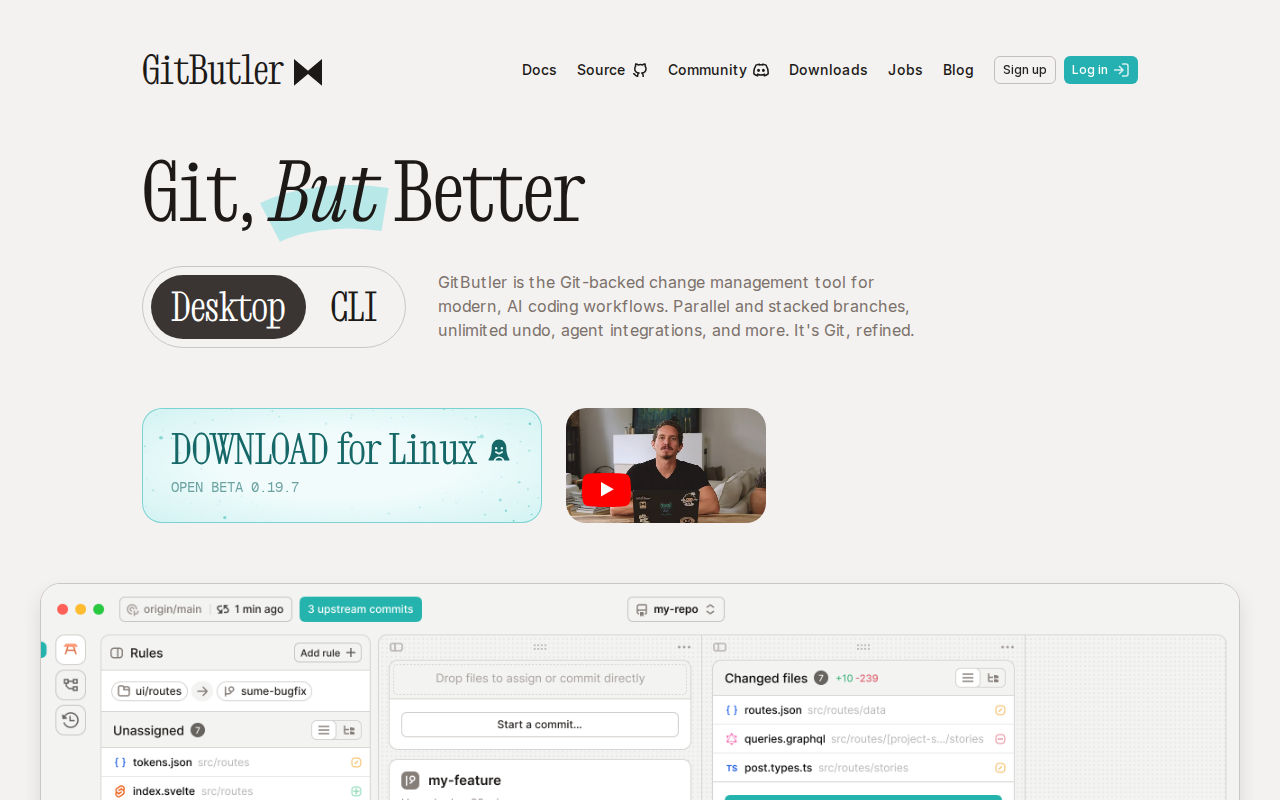
GitButler is a specialized Git client designed to eliminate the friction of traditional branch-based workflows. Unlike standard CLI or GUI clients that force developers to manage commits sequentially, GitButler utilizes a virtual file system to track changes in real-time. It allows developers to create multiple 'virtual branches' simultaneously, enabling them to work on several features or bug fixes in parallel without the overhead of constant context switching or complex rebasing. By decoupling the working directory from the commit history, it provides a non-linear, fluid development experience that integrates directly with existing Git repositories, making it ideal for high-velocity engineering teams.
GitButler 's Core features
Virtual Branch Management
GitButler decouples your working directory from the Git commit graph. Instead of managing one active branch, you can maintain multiple virtual branches simultaneously. This allows you to isolate unrelated changes into distinct branches without performing manual 'git stash' or 'git checkout' operations, significantly reducing the cognitive load and time spent on branch switching.
Visual Commit Reordering
The interface provides a drag-and-drop environment for commit management. You can move commits between branches or reorder them within a branch without typing complex interactive rebase commands. This visual approach prevents 'rebase hell' and makes it trivial to clean up commit history before pushing to a shared remote repository.
Real-time Change Tracking
GitButler monitors your file system in real-time, capturing every change as you type. Unlike standard Git that requires manual staging, GitButler tracks these changes automatically in the background. This ensures that no work is lost and allows you to group changes into commits at your convenience, providing a safety net for experimental coding.
Integrated AI Commit Messages
The tool leverages AI to analyze your code changes and automatically generate descriptive, context-aware commit messages. By parsing the diffs, it reduces the time developers spend writing boilerplate documentation, ensuring that commit logs remain high-quality and informative without manual effort.
Branchless Workflow Integration
GitButler is built to work with existing Git repositories, meaning it doesn't require a proprietary server-side format. It translates your virtual branches into standard Git commits when you push, ensuring full compatibility with GitHub, GitLab, and Bitbucket. This allows teams to adopt the workflow without changing their existing CI/CD infrastructure.
How to use GitButler
- Download and install the GitButler desktop application for macOS, Windows, or Linux.,2. Authenticate with your GitHub account to sync your repositories and pull requests.,3. Open a local project folder; GitButler will automatically detect changes and display them in the 'Working Directory' view.,4. Select specific file changes and click 'Create Branch' to move them into isolated virtual branches.,5. Manage your branches via the UI, where you can drag-and-drop commits between branches or reorder them visually.,6. Push your virtual branches to GitButler Cloud or your remote repository to trigger CI/CD pipelines.
Use cases of GitButler
Parallel Feature Development
A developer needs to work on a hotfix while in the middle of a large feature implementation. With GitButler, they can move the hotfix changes to a separate virtual branch, commit, and push it immediately, all without interrupting the progress of the main feature branch.
Complex Code Review Preparation
Engineers can use the visual interface to split a large, monolithic set of changes into smaller, logical commits before submitting a Pull Request. This results in cleaner, more reviewable code that adheres to best practices without the manual labor of interactive rebasing.
Experimental Prototyping
Developers can create multiple 'sandbox' branches to test different architectural approaches simultaneously. By keeping these experiments isolated in GitButler, they can compare outcomes side-by-side and merge only the successful implementation into the main branch.
Who benefits from GitButler
Senior Software Engineers
They manage multiple concurrent tasks and need to minimize context-switching overhead. GitButler allows them to maintain focus by isolating tasks into virtual branches, preventing the 'dirty working directory' problem common in complex projects.
Open Source Maintainers
They handle numerous incoming contributions and bug reports. GitButler helps them organize these disparate changes into clean, manageable branches, making it easier to review and merge community code without breaking the main branch.
Full-stack Developers
They often juggle frontend and backend changes simultaneously. GitButler enables them to track these changes in separate virtual branches, ensuring that backend API updates and frontend UI tweaks remain organized until they are ready to be deployed.
Pricing of GitButler
Open source (GPLv3). GitButler Cloud offers a free tier for individuals and a Pro tier ($10/user/mo) for teams with advanced collaboration features.