Spicetify
Customize & Enhance Spotify
Free
Support platforms
web
What is Spicetify
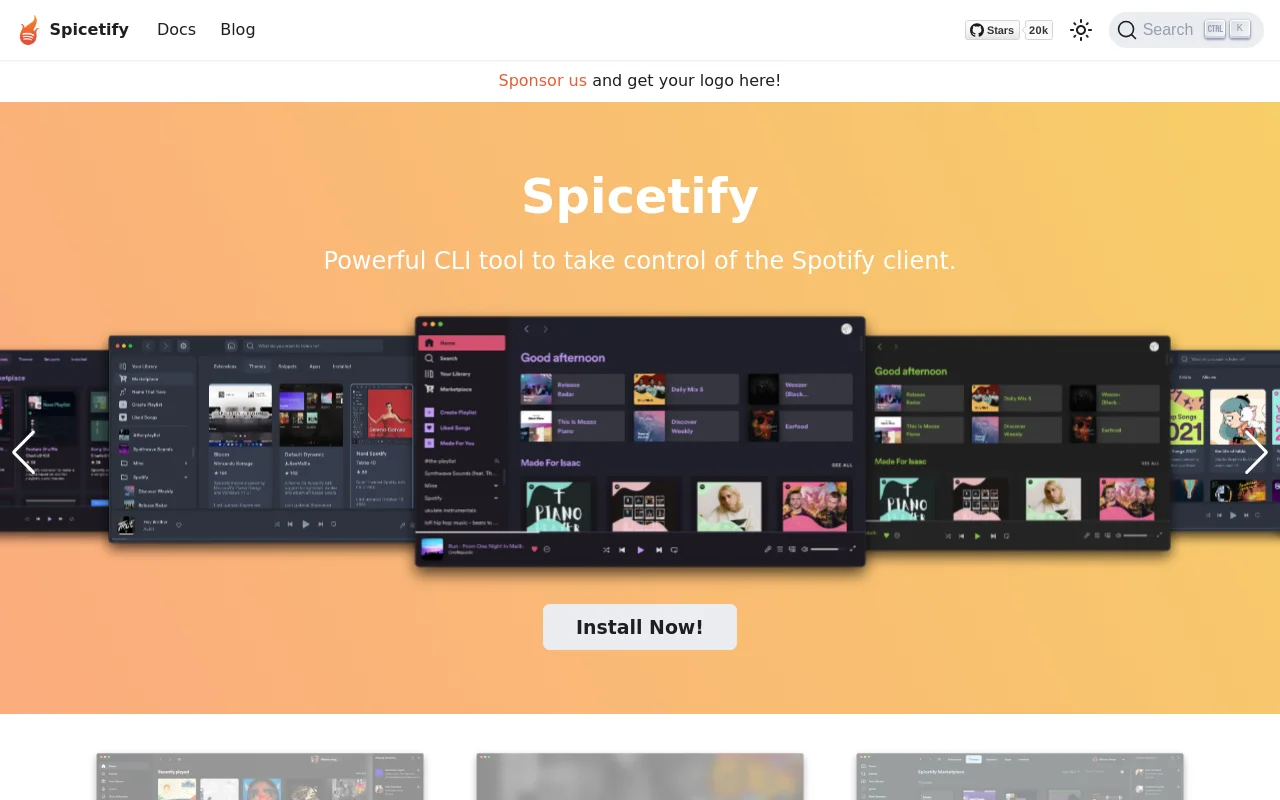
Spicetify is a command-line tool that empowers users to personalize their Spotify desktop application. It allows for extensive customization through themes, extensions, and custom apps, transforming the user interface and adding new functionalities. Unlike Spotify's built-in customization options, Spicetify offers a vast marketplace of community-created themes and extensions, providing a level of control and personalization not found in the standard application. It leverages a command-line interface for easy installation and management of customizations. This tool is ideal for users who want to tailor their Spotify experience to their specific aesthetic preferences and functional needs, offering a unique and highly customizable music listening environment.
Spicetify 's Core features
Theme Customization
Spicetify allows users to completely overhaul the Spotify interface with community-created themes. These themes modify colors, layouts, and visual elements, providing a personalized aesthetic experience. The themes are easily installed and applied via the command-line interface, offering a simple way to transform the look and feel of the Spotify client. The marketplace boasts over 200 items.
Extension Integration
Enhance Spotify's functionality by adding extensions. These extensions introduce new features such as keyboard shortcuts, playback controls, and integrations with external services. Extensions are easily installed and managed, expanding the capabilities of the Spotify application beyond its default features. This allows users to tailor their listening experience with additional tools.
Custom App Development
Spicetify enables the creation of custom apps within the Spotify client. Developers can build entirely new pages for features like lyrics display, music stats, and library management. This feature allows for deep integration and customization, providing a platform for advanced Spotify enhancements. This opens up possibilities for unique user experiences and specialized functionalities.
Command-Line Interface (CLI)
The CLI simplifies the installation, configuration, and management of themes, extensions, and custom apps. The CLI streamlines the process, making it easy for users to apply changes and customize their Spotify experience. This command-line approach provides a consistent and efficient way to interact with the Spicetify ecosystem.
Community Marketplace
Spicetify features a vibrant marketplace where users can discover and download community-created themes, extensions, and custom apps. This marketplace fosters a collaborative environment, with a wide variety of options to suit different preferences. The marketplace ensures a continuous stream of new content and features, keeping the customization options fresh and diverse.
How to use Spicetify
- Install Spicetify CLI: Use the command
iwr -useb https://raw.githubusercontent.com/spicetify/cli/main/install.ps1 | iex(Windows) orcurl -fsSL https://raw.githubusercontent.com/spicetify/cli/main/install.sh | sh(macOS/Linux).,2. Apply default theme: Runspicetify applyto apply the default theme and ensure Spicetify is working correctly.,3. Explore themes: Browse the Spicetify Marketplace or community resources for themes.,4. Install a theme: Download a theme and place it in the themes directory (usually located in the Spicetify configuration directory).,5. Apply the theme: Usespicetify config current_theme <theme_name>and thenspicetify applyto activate the selected theme.,6. Install extensions: Download and place extensions in the extensions directory, then apply them using the CLI.
Use cases of Spicetify
Theme Enthusiasts
Users who want to personalize the visual appearance of their Spotify client. They can browse and install various themes from the marketplace to change the colors, layouts, and overall aesthetic of the application, creating a unique and visually appealing listening experience.
Functionality Enhancers
Users looking to add new features to Spotify. They can install extensions that provide additional controls, keyboard shortcuts, or integrations with other services. This allows them to customize their listening experience with added functionality.
Developers & Power Users
Developers and advanced users who want to build custom apps within Spotify. They can create new pages and integrate features like lyrics, stats, and library management, providing a highly tailored and functional Spotify experience.
Music Lovers
Music enthusiasts who want to enhance their Spotify experience with a personalized touch. They can use Spicetify to customize the interface, add new features, and create a more enjoyable and tailored music listening environment.
Who benefits from Spicetify
Spotify Power Users
Power users who want to go beyond the standard Spotify interface and add advanced features and customization options. Spicetify provides the tools to tailor the application to their specific needs and preferences.
Theme Customization Fans
Users who enjoy customizing the look and feel of their applications. Spicetify offers a vast library of themes to transform the Spotify interface, allowing for a personalized and visually appealing experience.
Developers and Hackers
Developers and technically inclined users who want to extend Spotify's functionality. Spicetify allows them to build custom apps and extensions, providing a platform for innovation and advanced customization.
Music Enthusiasts
Music lovers who want to enhance their listening experience. Spicetify offers a way to customize the interface, add new features, and create a more enjoyable and tailored music listening environment.
Pricing of Spicetify
Open Source (MIT License). Free to use, with no paid tiers or subscriptions.