Alacritty
Fast, cross-platform terminal emulator
Free
Support platforms
web
What is Alacritty
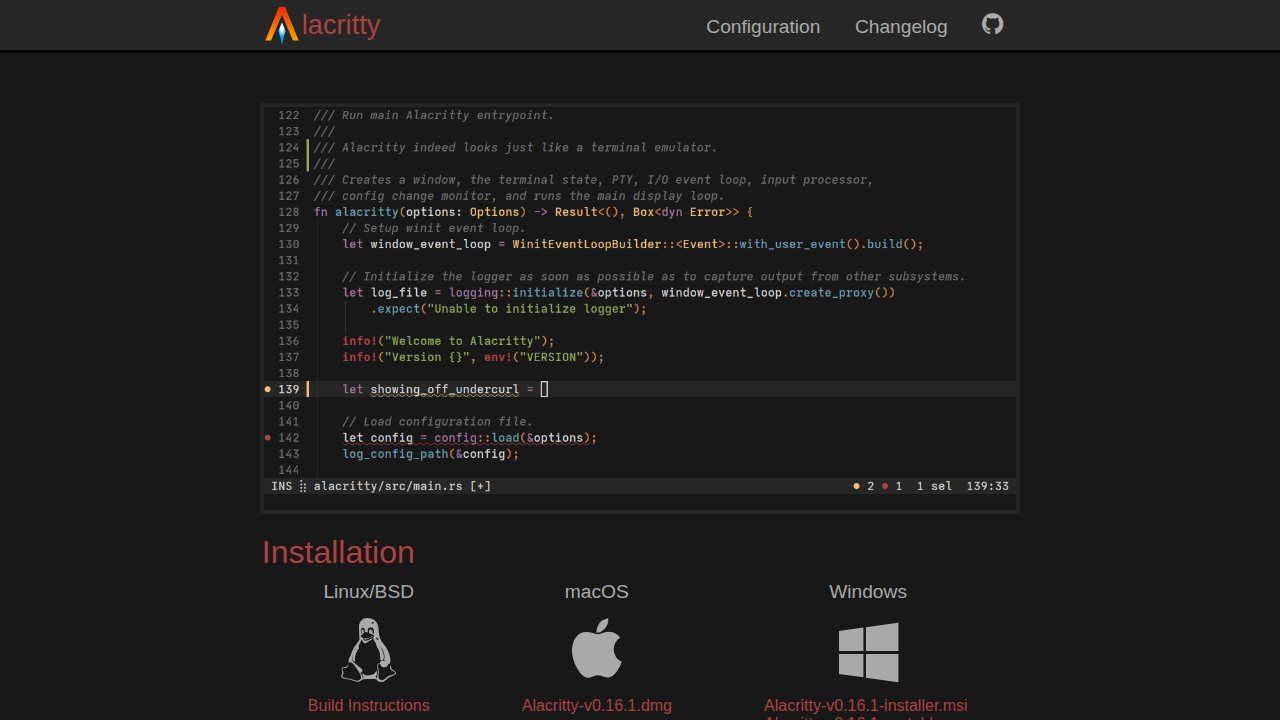
Alacritty is a modern terminal emulator focused on performance and simplicity. It leverages OpenGL for hardware-accelerated rendering, resulting in significantly faster display speeds compared to traditional emulators. Its core value proposition lies in providing a responsive and efficient terminal experience, especially beneficial for developers and users who spend considerable time in the terminal. Unlike emulators that attempt to replicate all terminal functionalities, Alacritty integrates with existing applications, offering a streamlined feature set. This approach prioritizes speed and resource efficiency. Alacritty is ideal for developers, system administrators, and anyone seeking a high-performance terminal on BSD, Linux, macOS, or Windows.
Alacritty 's Core features
OpenGL-based Rendering
Alacritty utilizes OpenGL for hardware-accelerated rendering, which significantly improves performance. This results in faster text display, reduced latency, and a smoother overall terminal experience. Benchmarks show Alacritty often outperforms other emulators in rendering speed, especially when displaying large amounts of text or complex output.
Cross-Platform Compatibility
Supports BSD, Linux, macOS, and Windows, providing a consistent terminal experience across different operating systems. This is crucial for developers and system administrators who work on multiple platforms. The codebase is designed to handle platform-specific differences, ensuring a uniform user experience.
Vi Mode
Offers Vi-style keybindings for navigation and selection within the scrollback buffer. This allows users familiar with Vim to move around and select text efficiently without using a mouse. This feature enhances productivity for users who prefer keyboard-centric workflows.
Regex Search
Enables searching within the scrollback buffer using regular expressions. This allows users to quickly find specific patterns or text within the terminal's history. This is particularly useful for debugging, log analysis, and searching for specific command outputs.
Multi-Window Support
Improves resource usage by using only a single Alacritty process, even when multiple windows are open. This reduces the overall system load and improves performance, especially when working with many terminal windows simultaneously. This is achieved through efficient inter-process communication.
Customizable Configuration
Allows extensive customization through a YAML configuration file. Users can modify colors, fonts, keybindings, and other settings to personalize their terminal experience. This flexibility allows users to tailor Alacritty to their specific preferences and workflows.
How to use Alacritty
- Choose your operating system: Alacritty supports BSD, Linux, macOS, and Windows. Download the appropriate installer from the official website (alacritty.org).,2. Install the application: On Linux/BSD, follow build instructions or use your package manager. On macOS, download the .dmg file and drag Alacritty to your Applications folder. On Windows, run the .msi installer.,3. Configure Alacritty: Edit the
alacritty.ymlconfiguration file (located in$HOME/.config/alacritty/alacritty.ymlon Linux/macOS or%APPDATA%/alacritty/alacritty.ymlon Windows) to customize appearance, keybindings, and other settings.,4. Customize your shell: Configure your shell (e.g., bash, zsh, fish) to work seamlessly within Alacritty. This might involve setting up themes, prompts, and environment variables.,5. Explore Vi mode: Use Vi-style keybindings for navigation and selection within the terminal's scrollback buffer. Enable this in your configuration file.,6. Integrate with other tools: Leverage Alacritty's features, such as regex search and hints, to improve your workflow. Use these features to find and interact with text within the terminal.
Use cases of Alacritty
Software Development
Developers use Alacritty as their primary terminal for coding, running tests, and managing projects. The fast rendering and Vi mode enhance productivity, allowing them to quickly navigate code, view output, and interact with development tools directly from the terminal.
System Administration
System administrators utilize Alacritty for remote server management, monitoring system resources, and executing commands. The performance benefits are crucial when working with multiple servers or dealing with high volumes of log data, making tasks faster and more efficient.
Data Science and Analysis
Data scientists and analysts use Alacritty to run scripts, analyze data, and visualize results. The terminal's speed and efficiency are essential for handling large datasets and complex computations, allowing them to iterate faster and improve their workflow.
General Command-Line Usage
Users who frequently interact with the command line for various tasks, such as file management, scripting, and general system interaction, benefit from Alacritty's performance and customization options. The fast rendering and Vi mode improve the overall user experience.
Who benefits from Alacritty
Software Developers
Developers need a fast and efficient terminal to manage their projects, run tests, and interact with development tools. Alacritty's performance and customization options significantly improve their workflow and productivity.
System Administrators
System administrators require a reliable and performant terminal for remote server management, monitoring, and troubleshooting. Alacritty's speed and cross-platform compatibility make it an ideal choice for managing infrastructure.
Data Scientists
Data scientists need a terminal that can handle large datasets and complex computations efficiently. Alacritty's performance and responsiveness are crucial for running scripts, analyzing data, and visualizing results.
Power Users
Users who spend a significant amount of time in the terminal and value customization and performance will find Alacritty to be a great fit. Its Vi mode and extensive configuration options cater to advanced users.
Pricing of Alacritty
Open Source (MIT License). Free to use, modify, and distribute.