AList
Multi-storage file list program
Free
Support platforms
web
What is AList
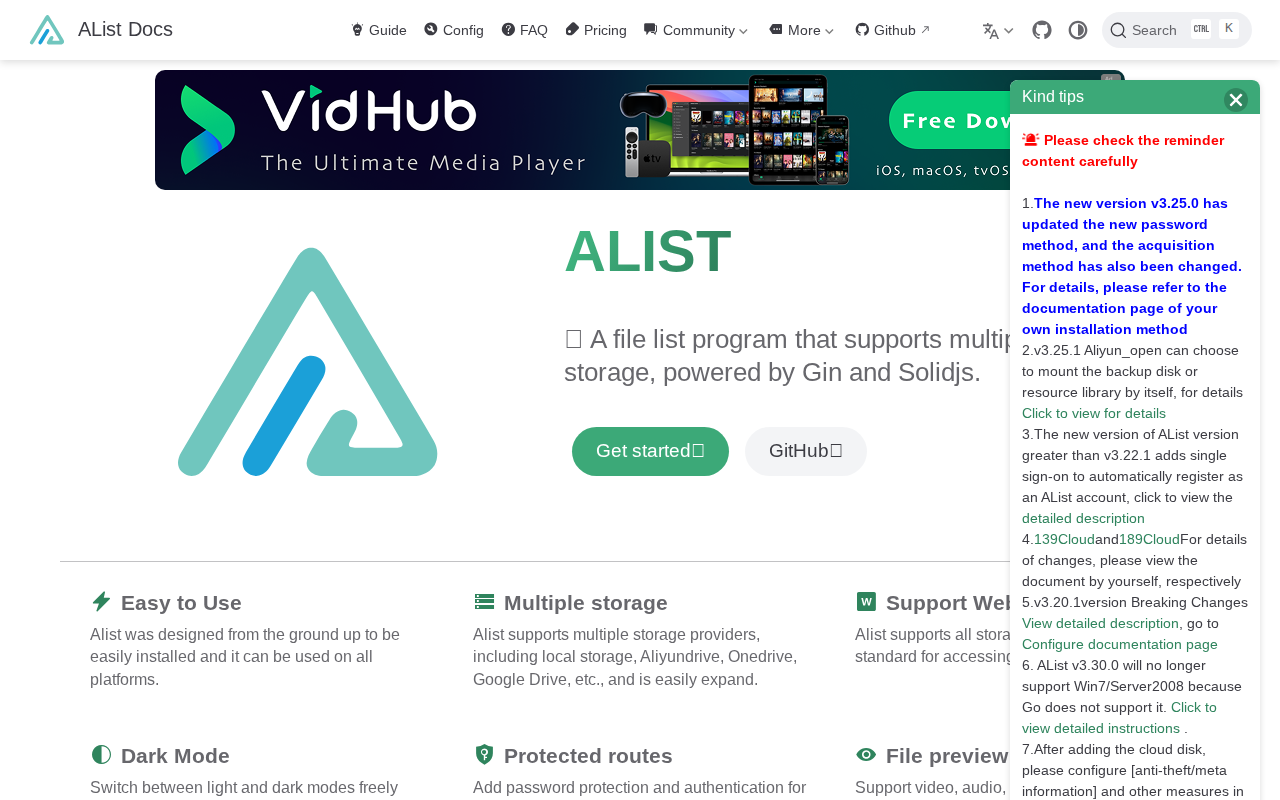
AList is a file list program that allows users to manage and access files from multiple cloud storage providers through a unified interface. It supports a wide range of storage services, including local storage, Aliyundrive, OneDrive, and Google Drive, with easy extensibility for adding more. AList differentiates itself by offering features like WebDAV support, dark mode, password-protected routes, and file preview capabilities for various formats (video, audio, office documents, etc.). It leverages Gin and Solidjs for performance and a modern user experience. This makes it ideal for users who need a centralized file management solution across different cloud platforms, offering features like package download, batch download, and file encryption for enhanced security.
AList 's Core features
Multi-Storage Support
AList supports a wide array of storage providers, including local storage, Aliyundrive, OneDrive, Google Drive, and more. This allows users to consolidate their files from various cloud services into a single, unified interface. This eliminates the need to switch between different platforms and simplifies file management across multiple accounts. The architecture is designed for easy expansion, allowing for the addition of new storage providers.
WebDAV Support
AList provides WebDAV support, enabling users to access and manage their files using any WebDAV client. This allows for seamless integration with existing file management tools and workflows. Users can connect to their AList instance using applications like Cyberduck or Mountain Duck, treating their cloud storage as a network drive. This feature enhances accessibility and flexibility in file management.
File Preview
AList offers built-in file preview capabilities for a variety of file types, including videos, audio files, office documents, PDFs, code, and images. This eliminates the need to download files to view their contents. The preview functionality leverages browser-based rendering for common formats, providing a quick and convenient way to inspect files directly within the AList interface. This improves user productivity and streamlines file browsing.
Dark Mode & Customization
AList includes a dark mode option for a more comfortable viewing experience, especially in low-light environments. Users can easily switch between light and dark modes. Additionally, the platform allows for customization of the interface, potentially including themes and other visual adjustments. This allows users to personalize their experience and tailor the interface to their preferences.
Protected Routes
AList allows users to add password protection and authentication to specific paths, enhancing the security of their file storage. This feature is crucial for protecting sensitive data and controlling access to specific files or folders. Users can configure access controls to restrict who can view or modify files, adding an extra layer of security to their cloud storage setup.
How to use AList
- Download the AList binary for your operating system from the GitHub releases page (e.g., alist-linux-amd64).,2. Grant execute permissions to the binary:
chmod +x alist-linux-amd64.,3. Run the AList binary to start the server. By default, it listens on port 5244. You can specify a custom port with the--portflag.,4. Access the web interface through your browser athttp://localhost:5244(or the port you specified).,5. Configure your storage providers within the AList web interface by adding your account credentials for each service (e.g., Aliyundrive, OneDrive).,6. Start browsing and managing your files across all connected storage providers from a single interface.
Use cases of AList
Centralized File Management
A user with files spread across Google Drive, OneDrive, and a local NAS can use AList to view, manage, and download all their files from a single interface. They can easily browse and organize files without switching between different cloud storage platforms, streamlining their workflow.
Media Streaming
A user with a large media library stored on cloud storage can use AList to stream videos and play audio files directly from their cloud accounts. The file preview feature allows for quick access to media content without the need to download the files first, providing a seamless media consumption experience.
Secure File Sharing
A user can use AList to share files with others by creating password-protected links to specific folders or files. This allows for secure file sharing without the need to grant full access to the entire storage account. The protected routes feature ensures that only authorized users can access the shared content.
Offline Download Management
A user can use AList to download torrent content offline to a specified directory. This is useful for downloading large files or content that might be bandwidth-intensive. The user can specify the download directory and manage the download process through the AList interface, ensuring efficient use of bandwidth and storage.
Who benefits from AList
Cloud Storage Users
Individuals and businesses who use multiple cloud storage services (Google Drive, OneDrive, etc.) and need a centralized platform to manage their files, simplifying access and organization across different accounts.
Media Enthusiasts
Users with large media libraries stored on cloud storage who want to stream videos, play audio, and preview files directly from their cloud accounts without the need for extensive downloads or complex configurations.
Developers and Tech-Savvy Users
Users who appreciate open-source software and are comfortable with self-hosting solutions. They can leverage AList's features, such as WebDAV support and customization options, to create a tailored file management system.
Security-Conscious Users
Users who prioritize the security of their files and need features like password-protected routes and file encryption to protect their data from unauthorized access, ensuring privacy and control over their files.
Pricing of AList
AGPL-3.0 Licensed. Free and open-source.