Riffo
AI-powered File Renaming & Sorting
Free
Support platforms
web

What is Riffo
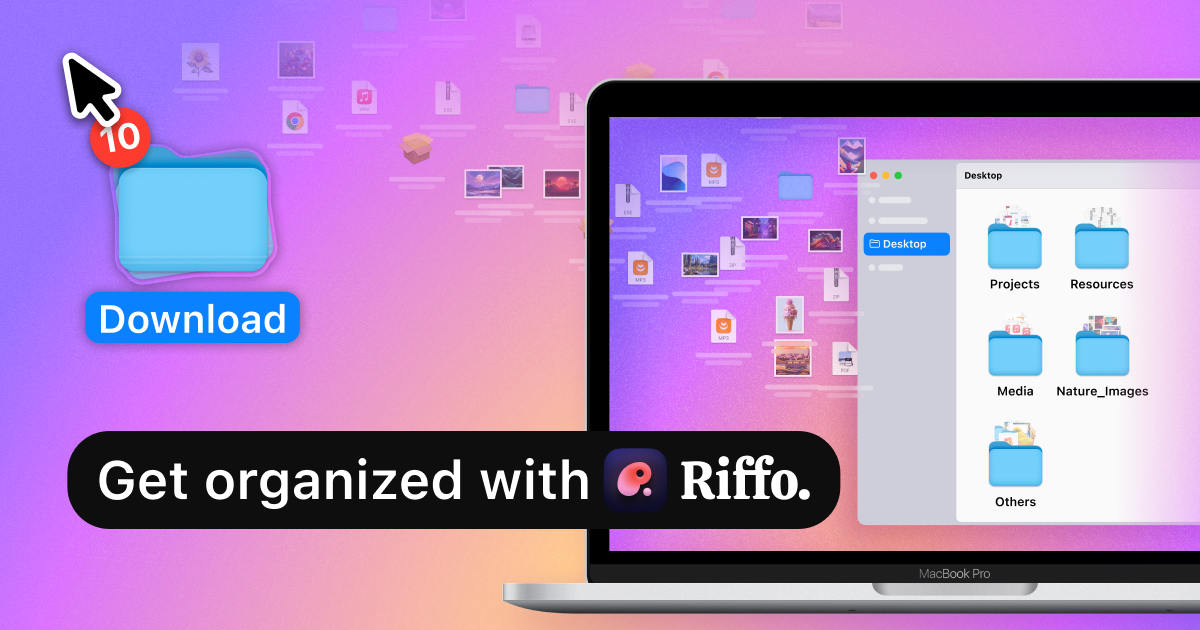
Riffo is an AI-driven file management tool designed to automatically rename and organize files, eliminating the chaos of messy desktops and downloads. It leverages AI to analyze file content, extract relevant information, and suggest meaningful filenames, saving users significant time and effort. Unlike manual renaming or basic sorting tools, Riffo offers intelligent categorization, creating auto-generated folders based on file content. This unique approach ensures a clean and easily navigable digital workspace. Riffo is built for anyone struggling with disorganized files, from students and professionals to creatives and researchers. It simplifies file management, enhances productivity, and improves overall digital organization. The tool is currently available for Mac users with an online demo available.
Riffo 's Core features
AI-Powered File Renaming
Riffo uses advanced AI algorithms to analyze file content (e.g., text in documents, metadata in images) and suggest descriptive, context-aware filenames. This eliminates the need for manual renaming, saving users an estimated 1-2 hours per week. The AI model is trained on a vast dataset of file types and naming conventions, ensuring accurate and relevant suggestions. The renaming process is completed in seconds, even for bulk operations.
Automated Folder Categorization
The 'Auto Foldering' feature intelligently organizes files into subfolders based on their content and type. The AI analyzes file characteristics and creates a logical folder structure, such as 'Documents,' 'Images,' or project-specific folders. This feature reduces manual organization time by up to 80%, making it easier to find files quickly. The system supports various file formats, including PDFs, images, and documents.
Bulk File Renaming
Riffo allows users to rename multiple files simultaneously, significantly speeding up the organization process. Users can select a group of files and apply AI-generated names or customize the renaming pattern. This feature is particularly useful for managing large batches of files, such as screenshots or downloaded documents. The bulk renaming process can handle thousands of files in a single operation, with processing times dependent on the number of files.
User-Friendly Interface
Riffo features a clean and intuitive interface, designed for ease of use. The drag-and-drop functionality simplifies file import, and the clear display of suggested filenames and folder structures allows for easy review and modification. The design focuses on a streamlined workflow, minimizing the learning curve and maximizing user efficiency. The interface is optimized for Mac users, ensuring a seamless user experience.
Online Demo
Riffo offers an online demo, allowing users to experience the AI-powered file renaming and organization capabilities without downloading the application. The demo provides a preview of the features and functionality, enabling potential users to assess the tool's effectiveness before committing to a download. The demo showcases the AI's ability to generate relevant filenames and organize files into logical folders, offering a practical introduction to the product.
How to use Riffo
- Download and install the Riffo application for Mac from the website.,2. Drag and drop a folder containing your files into the Riffo interface.,3. Select the 'File Rename' option to initiate AI-powered filename suggestions.,4. Review the suggested filenames and make any necessary edits before applying.,5. Choose the 'Auto Foldering' option to categorize files into AI-generated subfolders.,6. Review the folder structure and adjust as needed to optimize your file organization.
Use cases of Riffo
Organizing Screenshots
Users who frequently take screenshots can use Riffo to automatically rename and categorize them. Instead of generic filenames like 'Screenshot 2024-01-26,' Riffo suggests descriptive names based on the content of the screenshot, and places them in relevant folders, saving time and improving searchability. This is useful for developers, designers, and anyone who captures screenshots regularly.
Managing Downloaded Documents
Professionals and students can use Riffo to organize downloaded documents, such as PDFs and Word files. Riffo analyzes the document content and suggests meaningful filenames, and then categorizes them into folders like 'Reports,' 'Research,' or project-specific directories. This streamlines the process of managing research papers, reports, and other documents.
Organizing Creative Assets
Designers, artists, and other creatives can use Riffo to manage their digital assets, such as images, videos, and audio files. Riffo can rename files based on the content, and categorize them into relevant folders like 'Illustrations,' 'Videos,' or project-specific directories. This helps creatives maintain an organized library of assets, improving their workflow and productivity.
Streamlining Personal Archives
Individuals can use Riffo to organize their personal files, such as photos, documents, and other digital assets. Riffo can rename files based on the content, and categorize them into relevant folders like 'Photos,' 'Documents,' or project-specific directories. This helps individuals maintain an organized personal archive, improving their workflow and productivity.
Who benefits from Riffo
Students & Researchers
Students and researchers benefit from Riffo by efficiently organizing research papers, notes, and documents. The AI-powered renaming and auto-foldering features save time and improve the ability to find information quickly, making academic work more manageable and productive.
Professionals
Professionals across various industries can use Riffo to manage their work-related files, such as reports, presentations, and project documents. The tool streamlines file organization, making it easier to find and access important information, thus improving productivity and reducing time wasted on manual organization.
Creatives & Designers
Designers, artists, and other creatives can use Riffo to organize their digital assets, such as images, videos, and audio files. The tool helps maintain an organized library of assets, improving their workflow and productivity by quickly finding the necessary files for their projects.
Anyone with Messy Files
Anyone who struggles with disorganized files on their computer can benefit from Riffo. The tool simplifies file management, enhances productivity, and improves overall digital organization, regardless of their profession or background. It's ideal for those who want to save time and effort on file organization.
Pricing of Riffo
Free to download and use. No mention of paid tiers or limitations on the website.
More similar tools like Riffo

Raycast
Raycast is your ultimate shortcut to everything on your Mac. This powerful launcher and productivity tool empowers you to access and control applications, files, and services with unparalleled speed and efficiency. Forget endless clicking and searching – with Raycast, everything is just a keystroke away. Its intuitive interface and extensive extension library seamlessly integrate with your favorite tools, from project management and design to communication and music. Whether you're a developer, designer, project manager, or simply someone who values productivity, Raycast will transform the way you work. Experience the power of a truly streamlined workflow and reclaim your time. Download Raycast today and unlock a new level of productivity.